If you run a label, a release on the wrong artist profile lands on you. Your artist spots it, and since the release went out through your label, they come to you to fix it. With a roster, this can happen with any release, on any platform.
Spotify lists three ways it happens: your release lands on another artist's profile, another artist's release lands on yours, or one artist's catalog splits across several profiles. Each platform fixes it through its own form. So we went through the help pages of Spotify, Apple Music, YouTube, Amazon Music, and SoundCloud in September 2026 and put together what a label needs: how to tell which situation you're in, how to fix it on each platform, why it keeps happening across a roster, and how to set up deliveries so it stops. We also cover Spotify's new Artist Profile Protection, which changes how releases reach an artist's profile.
In this guide:
- Three situations and what each one means
- How to fix it on each platform
- Why releases land on the wrong profile
- Keep an artist ID registry for your roster
- What changed in 2026: Spotify Artist Profile Protection
- A release-day check for every artist
- What to expect from your distributor
Three Situations and What Each One Means for Your Label
Spotify separates three situations. Each is fixed differently, and your label controls only some of them.
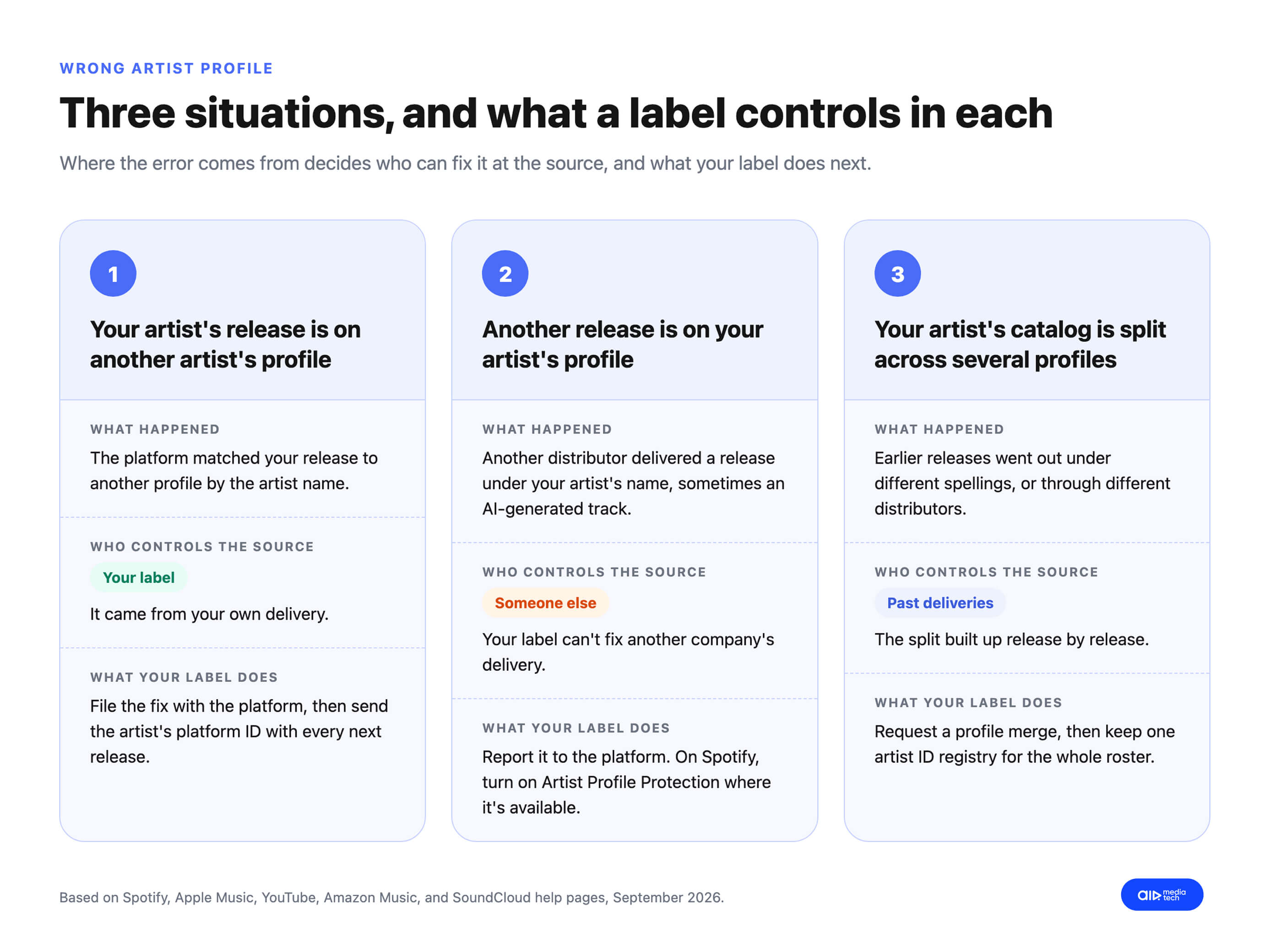
Your artist's release is on another artist's profile
This usually happens with a first release or when two artists share a name. Until the release moves, its streams, saves, and followers count toward the other artist's page, and your artist doesn't see them in Spotify for Artists. On YouTube, which builds artist pages automatically from the data labels send plus information from the web, one wrong mapping can affect the artist's whole discography, not just one Art Track. The cause is in your delivery, so you can prevent the next one: send your artist's platform ID with every release.
Another artist's release is on your artist's profile
Someone else's release, sometimes an AI-generated track, shows up on your artist's page. Until it's removed, Spotify counts it toward your artist's stats and recommendations. The release came from another distributor, so you can't fix the source. You can report it to the platform, and on Spotify the artist can use Artist Profile Protection (more on it below).
This happened to Blaze Foley, a country singer who died in 1989. In July 2025, an AI-generated song called "Together" appeared on his Spotify profile, delivered through SoundOn, TikTok's distribution service. Craig McDonald, who handles distribution at Foley's label, Lost Art Records, said the song wasn't Foley and the label hadn't uploaded it. Spotify removed the track for violating its Deceptive Content policy, and a similar AI track was found on the profile of Guy Clark, a country singer who died in 2016. Lost Art Records didn't deliver the track, and it still ended up on its artist's page.
One artist's catalog is split across several profiles
The artist has two or more profiles, each with part of the catalog. This usually comes from earlier distributors, a name change, or spelling that changed between releases. Neither profile shows the artist's real audience, and playlist curators, who look at the profile in front of them, see a smaller artist than there is. The fix is a merge, which moves releases and listeners to one profile.
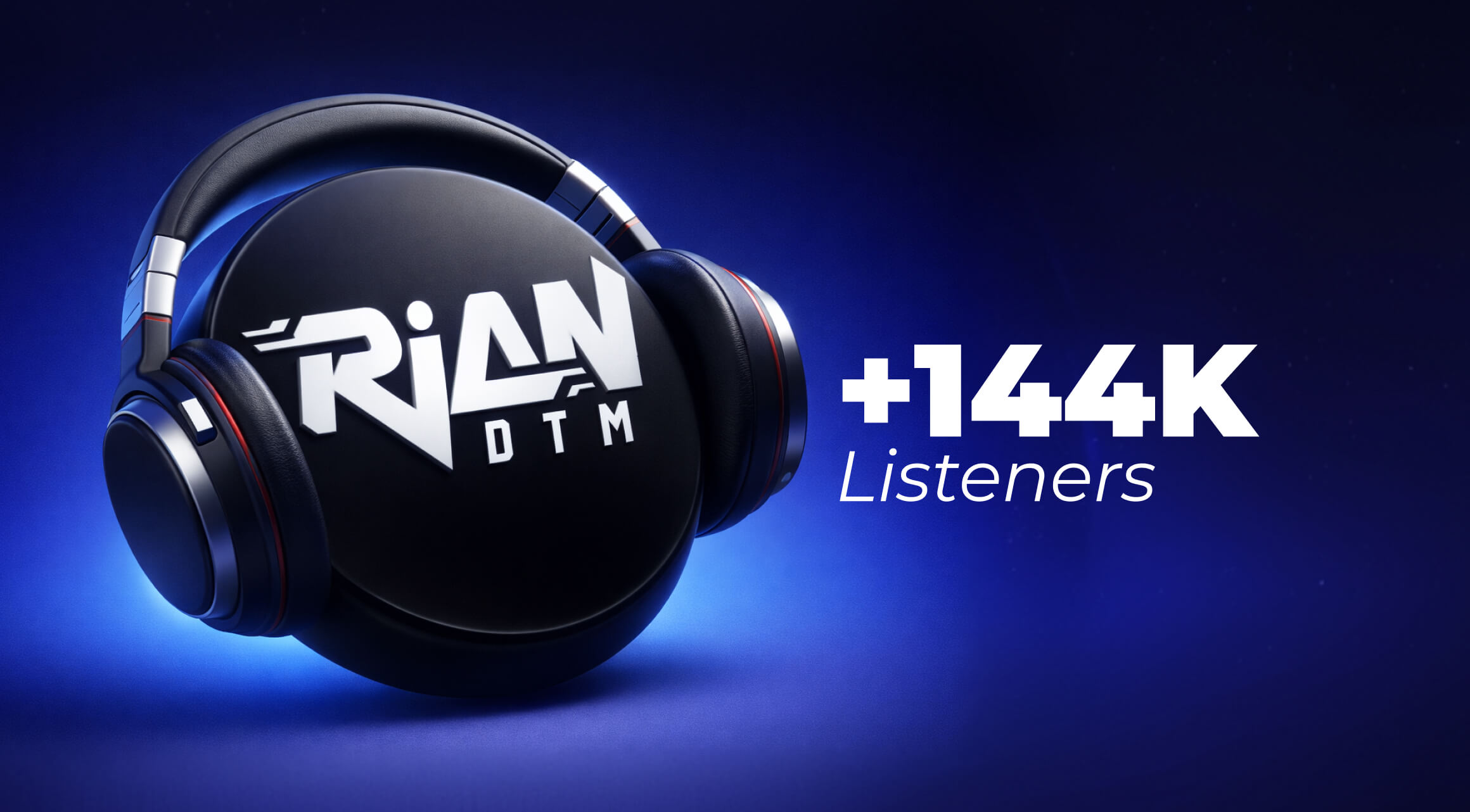
Rian DTM, an Indonesian artist AIR Music works with, had his catalog split across several Spotify artist profiles after earlier distribution setups. His main page showed 69,000 monthly listeners. AIR Music worked with Spotify to merge the duplicates into one profile, with all streams, followers, and releases in one place. After the merge, Rian DTM's monthly listeners on Spotify grew from 69,000 to 213,000.
69,000
Rian DTM's monthly listeners on Spotify while his catalog was split across several artist profiles
213,000
Rian DTM's monthly listeners after AIR Music had the duplicate profiles merged into one
One wrong artist field can send a release to a stranger's page. Check it for free first
A misspelled name or a featured artist in the wrong field is enough. An AIR Music manager checks your next release's metadata and rights for free and tells you in 24–48 hours if it's safe to release.
Get a free Track Safety Check →How to Fix a Wrong Artist Profile on Each Platform
Each platform has its own form. Some take requests only from the artist, others only from the label or distributor. Here's who can file and where, as of September 2026.
How to fix a release on the wrong artist profile, by platform. Checked on each platform's official help pages in September 2026.
| Platform | Who can file | Where to file | What to include | What the platform says about timing |
|---|---|---|---|---|
| Spotify | The artist's team in Spotify for Artists, or the distributor | Content mismatch form in Spotify for Artists | Link to the release and to the correct artist profile | Usually fixed within a few days; Spotify emails you when it's done |
| Apple Music | The artist through Apple Music for Artists; metadata corrections come from the distributor or label | Apple Music for Artists support, topic "Artist Catalog Issues" | Artist name, links to all of the artist's albums, link to the correct artist page | Not published |
| YouTube, artist with an Official Artist Channel | The artist, on desktop | Releases tab in YouTube Studio: "This is not my release. Remove from channel," or "Let us know" for a missing release | The release shown on the channel | Not published; status shows "Under review," then "Resolved" |
| YouTube, label or distributor | Partners using YouTube Studio Content Manager with a DDEX ERN 3.6+ feed | Assets > Art tracks > Request change, "Art track is not associated with the desired artist channel"; or redeliver corrected metadata | To fix one track by redelivery, the metadata for every track on the album | Not published |
| Amazon Music | Anyone, no claimed profile needed | Report Issue tool in Amazon Music for Artists; also merges duplicate profiles | Profile URLs; up to 50 releases per form | Not published |
| SoundCloud | The rightsholder or distributor; SoundCloud needs written confirmation from the rightsholder | Through your distributor: ask for the tracks to be migrated or the profiles merged | The tracks and the correct profile; play counts, comments, and likes are lost when tracks move | Not published |
Before you move anything on SoundCloud, know that all track metrics are lost when tracks move to another profile, including play counts, comments, and likes. SoundCloud still recommends the move, because tracks perform far better on the artist's own profile than on an auto-generated one.
After a platform fixes the release, fix the source too: send your distributor the correct artist IDs, or the next release will repeat the error. The next two sections cover why the error happens and how an artist ID registry stops it.
Why Releases Land on the Wrong Profile, and Why a Roster Multiplies the Risk
Streaming platforms match each new release to an artist profile automatically. Unless the delivery carries the artist's platform ID, the match relies on the artist name in the metadata, and names aren't unique. That's why Spotify recommends distributors that can deliver music with a specified artist ID. The most common causes:
- Two artists share a name. A platform sees "Luna" on a new release and attaches it to the Luna profile it already knows. Spotify names shared artist names as one of the main causes of wrong mapping.
- The name is spelled differently from release to release. "The Weekenders," "Weekenders," and "The Weekenders Band" can read as three different artists, or as one artist who isn't yours. Capital letters, symbols, diacritics, and "&" versus "and" cause the same problem. AIR Music's guide to metadata rules on each streaming platform covers the other fields that get releases rejected or misattributed.
- A featured artist sits in the wrong field. Typing "Artist A feat. Artist B" into the track title or the main artist field, instead of listing Artist B as a featured artist, can create a new profile or attach the track to a stranger's page.
- The delivery has no artist ID. Without a Spotify artist URI or an Apple Music artist ID, the platform guesses by name. If it finds no match, it can create a new profile under the delivered name: SoundCloud calls these auto-generated profiles. A new artist's first release carries the highest risk.
- Two companies deliver the same release. SoundCloud lists multiple rightsholders delivering the same content as a cause of wrong profiles. For a label, this usually happens after switching distributors, when the old distributor hasn't taken the catalog down yet.
- Someone attaches a release to a known profile on purpose. Spotify says some wrong mappings are deliberate, and that easy-to-produce AI tracks have made the problem worse.
Why a roster multiplies the risk. Every release is a new match. A label with 20 artists and four releases per artist a year gives platforms 80 chances a year to get it wrong, before counting features and remixes. Artists on the same roster often feature on each other's tracks, which adds more artist fields to fill in correctly. And when one person enters metadata for the whole roster by hand, one spelling habit repeats across every artist they handle.
Keep an Artist ID Registry for Your Whole Roster
Every platform gives each artist an ID. If your deliveries include it, the platform doesn't have to guess by name. Collect these for every artist on your roster:
- Spotify artist URI. In the Spotify desktop app, open the artist profile, click the three dots, choose Share, then hold Alt (Windows) or Option (Mac) and click Copy Spotify URI. It looks like spotify:artist:1a2b3c4d5e6f7g. For a release that isn't out yet, the URI is in Spotify for Artists under Music > Upcoming > Copy URI.
- Apple Music artist ID. Open the artist page in Apple Music, click the three dots, choose Share Artist, then Copy Link. The number at the end of the link is the artist ID.
- YouTube channel. The link to the artist's Official Artist Channel, or to their auto-generated Topic channel if they don't have an OAC yet. Artists can't request an OAC themselves: the distributor requests it for them.
- Amazon Music profile link. Amazon's profile issue forms ask for profile URLs, so keep them on file.
Keep them in one sheet and share it with whoever prepares deliveries, so names and IDs get copied from the sheet, not retyped. Here's a template:
Artist ID registry template for a record label roster. Copy it into a spreadsheet and fill one row per artist.
| Artist name (exact spelling) | Spotify artist URI | Apple Music artist ID | YouTube OAC or Topic channel link | Amazon Music profile link | Profiles claimed by the artist | Last checked |
|---|---|---|---|---|---|---|
| The Weekenders | spotify:artist:1a2b3c4d5e6f7g | 1234567890 | youtube.com/channel/… | music.amazon.com/artists/… | Spotify, Apple Music | September 2026 |
| Luna | spotify:artist:… | … | No OAC yet: Topic channel link | … | Spotify | September 2026 |
And two rules that go with it:
- Send the IDs with every release, including features. A featured artist from your roster needs their ID in the delivery too, or the platform matches them by name.
- Wait for a new artist's first release to map correctly before the second one goes out. A new artist has no ID until their first release creates a profile. Once it's live, check that it landed on a new, empty profile, record the IDs, and only then deliver the next release.
What Changed in 2026: Spotify Artist Profile Protection
Spotify announced Artist Profile Protection in March 2026, and as of September 2026, it's still in a limited beta. It lets artists control which releases appear under their name, and it has two modes:
- Review releases (default). Spotify notifies the artist when a release is delivered with their name on it. The release goes live as scheduled, and the artist can remove themselves from it for up to 28 days after launch.
- Block releases (advanced, limited access). A release can't list the artist until the artist approves it. Approvals take up to 24 hours to process, and the artist has up to 28 days after launch to approve or decline.
Only Admins and Editors on the artist's Spotify for Artists team can change these settings. The protection covers every role an artist can have on a release: main artist, featured artist, remixer, and composer or conductor on classical releases.
What this means for your label. Block releases keep other people's releases off your artist's profile, but it can also hold up your own. With Block releases on, the artist can create an artist key and give it to trusted distributors, whose releases then skip manual approval. If an artist on your roster turns on Block releases, get their artist key to your distributor before the next release date. The same goes for features: if your release features an artist from another label who uses Block releases, you need their approval or their key.
Two limits. During the beta, releases from some providers can't be removed or approved this way. And removing a release on Spotify doesn't remove it anywhere else: Spotify tells artists to contact their label or distributor to fix it on other platforms.
A Release-Day Check for Every Artist on Your Roster
It's easier to catch a wrong profile before release day than to fix it after. Here's what to check for every release.
Before delivery: pull names and IDs from the registry
- Pull the artist name and every platform ID from your artist ID registry. Don't retype them.
- List featured artists in the featured artist field, with their IDs, never in the track title.
- Spell the label name the same way on every release. Spotify builds a label team's catalog view in Spotify for Artists from the label and distributor names in release metadata, so a label name that varies hides releases from your own dashboard.
After delivery: check the release under Upcoming in Spotify for Artists
- Ask the artist, or anyone with Admin or Editor access to their profile, to check that the release shows under Music > Upcoming in Spotify for Artists. If it doesn't, Spotify's advice is to check with the distributor that it went to the right profile.
- If the artist uses Block releases, confirm the distributor has their artist key.
On release day: check every artist page on every platform
- Open the artist's page on Spotify, Apple Music, YouTube Music, and Amazon Music, and check that the release is there and nowhere else.
- Check the pages of any featured artists too.
After switching distributors: check the whole catalog for duplicates
Keep the old releases live until the new ones link, and only then ask the old distributor for a takedown. Two deliveries of the same release are one of the causes of duplicate profiles, so check every artist's page for duplicates once the move is done. Our guide to moving a label's catalog to a new distributor covers the whole order, from the first delivery to the takedown.
What to Expect From Your Distributor
Your distributor sends the metadata and, on most platforms, files the fix. So when you compare music distributors, ask about:
- Artist ID fields in the delivery form, for Spotify and Apple Music, for main and featured artists.
- A person who handles mapping problems, so a wrong profile gets escalated to the platform instead of waiting in a public form.
- Official Artist Channel requests on YouTube, which only a distributor can submit for the artist.
- A clean handover when you switch, with the old catalog taken down before the new delivery goes out.
- How it screens who joins its catalog, since one artist's fake streams can take a whole catalog offline.
- Someone who tells you about a mix-up before your artist does.
If your distributor stops answering while a release sits on the wrong profile, our guide on what a label can do when its music distributor stops responding covers escalation and what to tell your artists.
At AIR Music, our music distribution service, every artist and label gets a personal manager who replies within 24 hours and works with the platforms directly. Our managers usually get a release moved to the right profile within a couple of days. That's how AIR Music merged Rian DTM's duplicate Spotify profiles, after which his monthly listeners grew from 69,000 to 213,000.
For labels in the Philippines, AIR Music's guide to the traps of DIY music distribution for Filipino artists covers the problems beyond metadata, from payouts to local rights.
Tired of hearing about mix-ups from your artists first?
With AIR Music distribution, your label gets:
- A personal label manager who replies within 24 hours
- Metadata reviewed before every release
- One dashboard for your whole catalog
- Wrong-profile fixes and Official Artist Channel requests handled with the platforms
- Content ID with reupload protection
- Revenue share set in the contract, with your artists keeping 100% of their rights