
People scroll fast. If the thumbnail doesn’t stand out, they won’t click. And if they don’t click, your video goes nowhere.
We’ve tested thousands of videos with creators, and one thing is always true: guessing which thumbnail works best is a waste of time. This is why more creators are testing thumbnails. It works and increases click-through rate. You see what people respond to. You get better results.
Now, you don’t need to waste days manually testing thumbnails. AI A/B testing thumbnails tools give you hard data on what viewers actually respond to. Some are built into YouTube, some are third-party, and some can be layered into your production process.
Here are the tools that help you do it right.
The Best AI A/B Thumbnail Testing Tools in 2025
Here are the top AI tools for thumbnail A/B tests for the creator optimization workflow. Grab one, launch your first test, and start turning impressions into clicks.
1. YouTube Test & Compare (A/B Thumbnail Tester)
Tool Type: Native A/B testing (YouTube).
YouTube’s A/B Tester is the easiest and most accessible place to start. Since it’s built directly into YouTube, there’s no setup or external process. Big channels lean on it too. FutCrunch puts three thumbnails into every video’s test and reads the first signal from real-time views within about four hours.
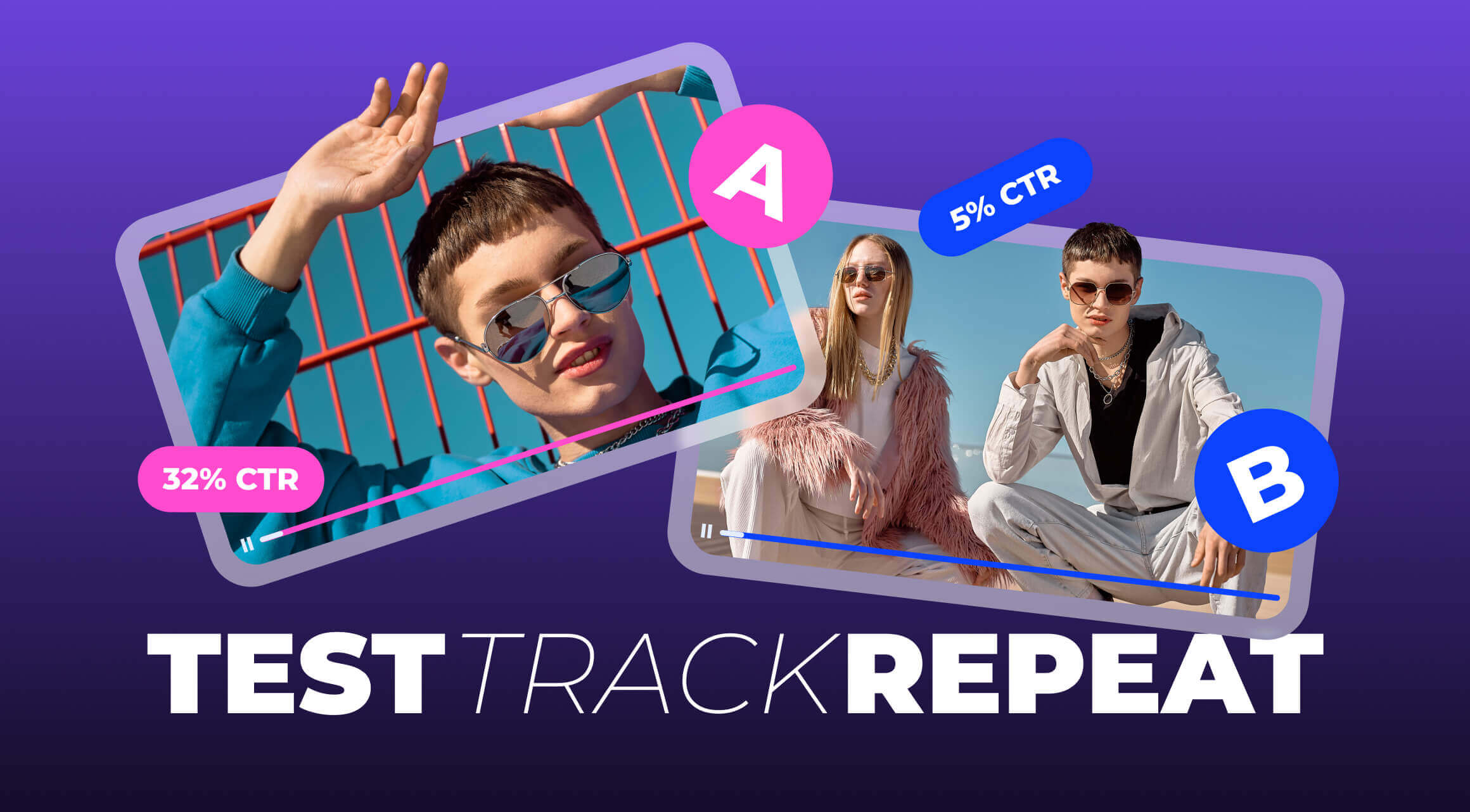
How it works: You upload up to 3 thumbnails for a video, and YouTube quietly rotates them for real viewers. After enough data, it selects a winner.
What matters: The tool focuses on watch time, not just CTR. This means it values the thumbnail that brings in viewers who stay.
Why we recommend it: It’s free, uses actual platform data, and doesn’t require you to learn a new tool.
YouTube’s A/B Tester Features:
- Up to 3 variants per video
- Real audience testing on-platform
- Winner logic optimized for watch time/retention
- Zero setup; runs in YouTube Studio
YouTube’s A/B Tester Pricing: Free (for channels with access).
When to use it: You want fast, trustworthy results without leaving YouTube, ideal if your videos get enough impressions to reach significance in days.
Pro tip: Re-run tests after title changes or content shifts. Performance can flip with context.
2. ThumbnailTest
Tool Type: Web app for predictive & live testing
ThumbnailTest combines deep analytics and AI to show why thumbnails perform the way they do. It helps you see what viewers see, literally.
How it works: Upload different thumbnails, and ThumbnailTest provides heatmaps, attention predictions, and visual scoring based on real engagement psychology.
What matters: A/B test your thumbnail with external traffic (useful if you promote outside YouTube).
Why we recommend it: It’s one of the few tools that explains why something works.
ThumbnailTest Features:
- AI attention-focus predictions
- Heatmaps + focal-point analysis
- Variant comparison with clear scores
- Optional external-traffic A/B tests
ThumbnailTest Pricing:
- Basic: $29/month
- Pro: $49/month
- Business: $99/month
When to use it: You want to know why a thumbnail wins (not just which), and you need design guidance pre-upload.
Pro tip: Use it to shortlist 3 designs, then confirm the winner with YouTube’s Test & Compare.

3. TubeBuddy A/B Testing (Legend Plan)
Tool Type: Browser extension / YouTube-certified.
A long-trusted name among YouTubers, TubeBuddy's A/B tool is built for creators who are already optimizing metadata, tags, and titles.
How it works: Upload two thumbnails and TubeBuddy rotates them across real traffic. You get detailed CTR and watch time reports.
What matters: You can test other elements like titles and tags at the same time. Data depth: CTR, impressions, engagement, retention, and more.
Why we recommend it: It’s highly integrated with YouTube and works without leaving your channel.
TubeBuddy Features:
- Automated A/B rotation (2 variants)
- CTR, impressions, retention reporting
- Early-stop and confidence indicators
- Bulk workflows across the back catalog
TubeBuddy Pricing:
- Pro: $4.50/month
- Legend: $28.99/month
When to use it: You already live in TubeBuddy and want rigorous, repeatable tests on live videos.
Pro tip: Pair with a “refresh cadence” (e.g., 7-10 days) to iterate on winners and compound lifts.
4. Thumblytics AI Eye Tracker
Tool Type: Pre-publish attention simulation.
Thumblytics is a great tool for creators who want to get feedback before publishing. This tool simulates human attention patterns and shows where the eyes land first.
What it does: Predicts where viewers’ eyes land first and how attention flows across your thumbnail.
What you get: A heatmap overlay showing focal points. Helps validate if your main elements (face, text, emotion) are drawing the right focus.
Why it matters: You can identify weak areas and fix them before your video goes live.
Thumblytics AI Eye Tracker Features:
- Instant heatmap/focus overlay
- Saliency ranking of elements (faces, text, logos)
- Quick pass/fail signals for clarity
Thumblytics AI Eye Tracker Pricing:
- Hobby: $19/month
- Starter: $49/month
- Basic: $99/month
- Pro: $349/month
When to use it: Rapid design checks before you go live or when you need lightweight validation for multiple drafts.
Pro tip: Ensure the first fixation hits your core hook (face/emotion or bold value text).
5. SplitHero
Tool Type: Cross-platform A/B testing (multi-channel).
SplitHero is more of a pro-level tool, aimed at marketers and agencies, but it’s very useful for creators managing multiple platforms.
What it does: Allows you to A/B test thumbnails across YouTube, TikTok, Reels, and even newsletters.
Key advantage: Centralized results from all your platforms in one dashboard.
What you get: If you’re promoting one video across multiple channels, you can see which creative drives more clicks overall.
Ideal for: Multi-channel creators or brands who repurpose heavily.
SplitHero Features:
- Multi-platform variant testing
- Centralized dashboard & rollups
- Flexible winner metrics (CTR, clicks, conversions)
SplitHero Pricing:
- Starter: $29/month
- Basic: $49/month
- Premium: $99/month
When to use it: You repurpose heavily and need one place to compare which creative wins across platforms.
Pro tip: Standardize variant naming across channels to compare apples to apples.
Need YouTube help?
We handle design, analytics, monetization, and growth. Want higher CTR? Reach out, let’s start.
6. Hypefury
Tool Type: Off-platform thumbnail/post A/B for X & IG.
Hypefury isn’t a YouTube-specific tool, but very effective if you use social media to push traffic to your channel.
What it does: A/B test thumbnails in tweets, threads, and IG posts.
Why use it: Helps you optimize which image grabs attention before users even reach your YouTube link.
Great for: Channels relying on organic reach from social to drive traffic.
Hypefury Features:
- A/B test images in posts/threads
- Click & engagement tracking per variant
- Scheduling + automation for promos
Hypefury Pricing:
- Starter: $29/month
- Creator: $49/month
- Business: $97/month
- Agency: $199/month
When to use it: A big slice of your traffic comes from social; you want to optimize the click before viewers reach YouTube.
Pro tip: Match your social winner against YouTube results. Sometimes, the best scroll-stopper isn’t the best YouTube performer. Adjust per channel.
Tool Comparison Table
Here’s your quick side-by-side. Scan by what you need (fast wins, budget, enterprise features), pick a tool, and launch your next test with confidence.

Choose by goal and channel mix: start free with YouTube’s Test & Compare, add ThumbnailTest for insight, and upgrade to TubeBuddy or SplitHero for scale. Pick one, launch a test today, iterate weekly.
Creator Cases: How AI Thumbnail Testing Boosted Clicks
Let's look at a few cases of how these tools have helped creators.
1. DIY Crafting Channel: YouTube Test & Compare Boosted Clicks
A DIY crafting channel used YouTube’s Test & Compare tool to test three thumbnail variations. After real audience testing, they identified the most effective design, leading to a 15% increase in CTR and better video recommendations.
Pro Tip: Test thumbnails after title or content changes for fresh results.
2. Gaming Channel: ThumbnailTest for Design Insights
A gaming channel utilized ThumbnailTest to see heatmaps of their thumbnails. This helped them redesign their thumbnails, focusing on key elements, boosting CTR by 20%.
Pro Tip: Use ThumbnailTest to finalize designs before uploading, then confirm results with YouTube’s Test & Compare.
3. Beauty Channel: SplitHero for Cross-Platform Testing
A beauty channel tested thumbnails across YouTube, Instagram, and TikTok using SplitHero, identifying platform-specific designs. This led to a 25% increase in views on YouTube and engagement on Instagram.
Pro Tip: Tailor your thumbnails for each platform based on SplitHero results to maximize engagement.
These case studies show how AI thumbnail tools can optimize CTR, engagement, and growth. Ready to test your thumbnails? Start with these tools today!
How to Choose the Right Tool
Picking a thumbnail A/B tool is about fit. Use the checklist below to match features to your workflow and choose a tool you can launch today.
- Just starting out? Use YouTube's Test & Compare, it's free, easy, and gives real audience data.
- Need visual guidance before publishing? Use Thumblytics Eye Tracker.
- Want structured testing inside your existing YouTube workflow? Go with TubeBuddy.
- Working across multiple platforms? SplitHero is designed for you.
- Driving traffic from social media? Try Hypefury to optimize your off-platform impact.
- Want a visual deep dive with predictive data? Choose ThumbnailTest to sharpen the thumbnail design.
Pick the tool that fits your goal (quick wins vs. rigorous tests), your volume (impressions per video), and how you’ll use the data.

Win the Click, Win the View
Click-through rate is one of the most underrated performance drivers. If your CTR is stuck, YouTube thumbnail optimization is the smartest first step. And with these tools, there’s no excuse not to test.
If you want help setting up your testing process or optimizing your strategy, get in touch with us. We help you at every level build stronger thumbnails, better metadata, and the right workflows for your channel.
Already using these AI video tools? Great. Want even more?
Explore over 30 video tools in the AIR Marketplace. From thumbnail optimization to safety, promotion, monetization, and beyond, everything you need is in one place.