


Getting your music online across major streaming platforms is one of the most important steps in building your audience and earning revenue as an artist today. But each platform has its own rules and pathways, and many don’t let artists upload directly without a distributor. This guide walks you through how to prepare, how to upload, and how to deliver music to the most popular platforms: Spotify, Apple Music, Amazon Music, YouTube Music, and Deezer.
Before we begin, you might also find our previous article useful: Tune-In: A Guide on How to Upload Music to YouTube (covers details about video uploads and YouTube as a platform).
Now, want to know how to release music on all platforms? Here’s the checklist:
1. Spotify
Spotify is one of the largest streaming platforms in the world, but artists cannot upload music directly. Music must be delivered through a digital music distributor.
A distributor delivers your tracks to Spotify and collects royalties every time your music is streamed.
How to Upload Music to Spotify: Step by Step
Let’s go through these seven steps of getting music to Spotify:
#1. Confirm ownership of your music.
You can only upload tracks you own the master recording rights to:
- If your song contains samples, they must be cleared by the rights holders.
- Cover songs and co-written songs are allowed, as long as you have the proper permissions or a licence.
- If you made the track with AI tools, you need commercial rights from the tool and an honest AI declaration. Here’s how to upload AI music to Spotify without getting the release rejected.
#2. Choose a digital distributor.
As we already mentioned, independent artists must work with a distributor that delivers music to Spotify. Your distributor handles formatting, delivery, and royalty collection.
If you want to distribute with no upfront costs, get your personal AIR Music distribution manager. We can:
- Get your tracks on Spotify and 120+ other platforms
- Pitch them to official playlists
- and protect your rights across all streaming services.
If you have any questions or technical troubles, your manager will respond within 24 hours.
#3. Prepare your files before uploading.
Make sure you have:
- High-quality audio files (WAV or FLAC)
- Correct metadata (artist name, track title, contributors)
- Cover art that meets Spotify’s specifications
Only upload artwork you have the rights to use.
#4. Double-check your artist name and metadata.
Spelling matters. Incorrect artist names are one of the main reasons music ends up on duplicate Spotify artist pages, which can split streams and followers.
#5. Upload your release through your distributor.
Once submitted, your distributor sends the music to Spotify for review.
We can also do all the preparation work for you. From the moment you send us your files, your Personal Manager takes over the heavy lifting, manually auditing your metadata to prevent errors and ensuring your artwork and audio meet every strict platform requirement. We handle everything from verifying contributor credits to strategic timeline planning.
#6. Wait for processing and go live.
After submission, it usually takes around 5 business days for music to go live on Spotify. This time is used to:
- Check sound quality
- Ensure metadata accuracy
- Make the release discoverable on the platform
#7. Claim your profile on Spotify for Artists.
Once your music is live, claim your artist profile:
- Go to artists.spotify.com/claim.
- Log in with your Spotify account (or create one).
- Search for your artist name and request access.
- Submit verification (social media links).
- Once approved, customize your artist page.
That’s how you can access streaming analytics and pitch upcoming releases to Spotify editorial playlists.
Distribute your music with 0% upfront costs
Distribute your music globally while retaining 100% ownership. Contact AIR Music and let a manager handle uploads, promotion, and reporting for you.
2. Apple Music
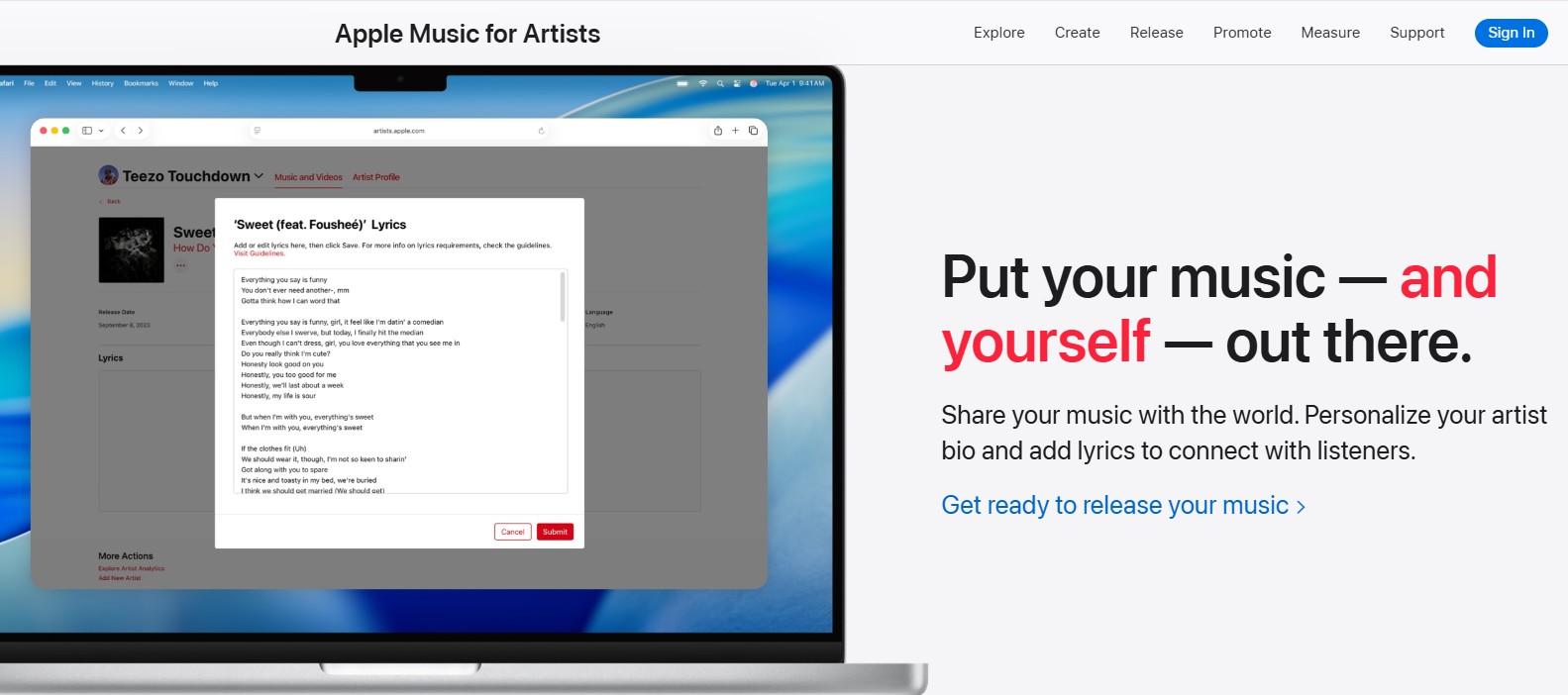
Just like Spotify, Apple Music does not allow most independent artists to upload music directly. Your tracks must be delivered through an approved digital distributor first. Once distributed, music becomes available on Apple Music, the iTunes Store, and Shazam automatically.
How to Upload Music to Apple Music: Step by Step
Now, let’s get your work on Apple Music:
#1. Prepare your release files.
High-quality audio (lossless formats preferred), cover art (typically 3000х3000 px minimum), and complete metadata.
#2. Choose a digital distributor.
Apple doesn’t offer a public direct upload portal for all artists; this ensures music meets technical and legal standards before delivery.
To get your track on Apple Music, AIR Music can act as your bridge, replacing automated systems with human precision.
Instead of a generic upload, we make sure you look like a pro on Apple Music:
- Artist Verification: Your manager guides you through claiming your Apple Music for Artists profile to access deep-dive analytics and update your bio.
- Simultaneous Rollouts: We manage the delivery pipeline so your release hits both Apple Music and the iTunes Store perfectly on schedule.
- Human Oversight: If a platform-specific error occurs during delivery, your manager identifies the issue and fixes it within 24 hours so you don't miss your drop.
We can set everything up, just text us and meet your personal manager.
#3. Let your manager handle the dashboard.
You simply send your final audio files and artwork to your AIR Music Personal Manager. We take care of:
- Audio & Artwork Audits: Checking that your files meet Apple’s strict lossless and 3000x3000px requirements.
- Metadata Entry: We manually enter all your track titles, contributors, and credits to ensure there are zero errors before delivery.
#4. Global delivery to Apple Music & beyond.
A music distributor manages the entire delivery pipeline:
- Paired Delivery: We ensure your music hits Apple Music and the iTunes Store simultaneously.
- Automatic Shazam Integration: Once live, Apple automatically pulls your release into Shazam so fans can discover you instantly.
#5. Strategic timing for editorial impact.
At AIR Music, we build a music promotion strategy beyond distribution with editorial pitching.
We recommend a lead time of at least 2–4 weeks. This allows our team to manually pitch your music to official curators for Apple Music editorial playlists.
#6. Automated monitoring.
Once we submit for delivery, your manager tracks the release through Apple’s ingestion system.
If a platform-specific glitch occurs, we resolve it directly with Apple, often before you even notice a problem.
#7. Expert guidance for Apple Music for Artists.
Claiming your profile is the only part where you need to log in, but you won't be alone. Your manager walks you through the verification process to ensure you get approved quickly.
Here is how to do it:
- Go to artists.apple.com
- Sign in with your Apple ID
- Search for your artist name and request access
- Verify your identity (link to social media)
Once verified, you can customize your artist image and view detailed streaming and Shazam data.
We also handle your lyric delivery through partners like Musixmatch, so fans can sing along on every platform.
3. YouTube Music
YouTube Music is Google’s dedicated music-streaming platform, built specifically for listening rather than video discovery. It gives artists access to a global, music-focused audience. But how you upload matters, depending on whether you want personal uploads or official releases with monetization.
Two Ways Music Appears on YouTube Music
It’s important to understand that YouTube Music supports two different upload paths, which serve very different purposes:
1) Personal uploads (library-only, not monetized).
Artists can upload music directly to YouTube Music for personal listening. These tracks:
- Appear only in your own library
- Are not discoverable by the public
- Do not generate royalties
- Are not official artist releases
This option is useful for private listening, demos, or reference tracks (not for releasing music professionally).
2) Official releases (distributed & monetized).
To release music online, earn royalties, and appear as an official artist on YouTube Music, tracks must be delivered through a digital distributor. This is the same route used by Spotify, Apple Music, and other major platforms.
How to Upload Music to YouTube Music (Official Artist Release)
Step 1: Prepare your audio files.
Before uploading through a distributor, make sure your tracks meet YouTube’s technical expectations:
- Supported audio formats include WAV and FLAC.
- Higher bitrates (around 384 kbps or above) help preserve sound quality after processing.
- Tracks should be fully mastered before submission.
Step 2: Create compliant cover art.
Your album artwork acts as the visual identity of your release:
- Use high-resolution, square images.
- Only upload artwork you own the rights to.
- Avoid logos, URLs, or misleading text.
Your personal AIR Music manager will check artwork before delivery to avoid platform rejections.
Step 3: Upload via a digital distributor.
Independent artists must use an approved distributor to:
- Deliver music to YouTube Music
- Register tracks for monetization
- Ensure metadata and rights information are correct
Distributors format your music and metadata so it can be correctly indexed and discovered. AIR has been an official YouTube partner since 2010, managing over 3,000 channels and billions of monthly views. That’s why we know exactly what YouTube wants from creators and artists. Reach out to us to boost your reach worldwide.
Step 4: Ask your distributor to enable YouTube Content ID (if available).
AIR Music offers YouTube Content ID delivery, which:
- Identifies your music when it’s used in videos
- Allows you to earn revenue from user-generated content
- Helps block or monetize unauthorized uploads
- Prevents others from claiming your tracks incorrectly
This step is essential for long-term revenue protection on YouTube. We handle the setup of the Content ID system, manage claims and disputes when they arise, and resolve copyright strikes or rejections.
Step 5: Release processing and availability.
After submission:
- YouTube reviews audio quality and metadata
- Official tracks appear on YouTube Music and often on Topic Channels (it’s the same as a page on YouTube Music)
- Processing time varies depending on the distributor and release volume
Step 6: Claiming your YouTube Official Artist Channel.
To get you the Official Artist Channel, we go to support.google.com/youtube and submit your channel and their own info. Once approved, your channel will merge with your Topic page and gain full features.
Step 7. Manage your presence.
Maintain your own YouTube channel to push official videos and connect with fans.
One person can get your tracks on 100+ platforms at once
AIR Music is ready to assign a manager who'll get your music everywhere, handle royalty reporting, pitch your tracks to playlists, and troubleshoot issues as they come up.
Apply for a Personal Manager →4. Amazon Music
Amazon Music is one of the top global streaming services, with listeners across both Amazon Music Unlimited and Amazon Music Prime tiers. Amazon Music does not allow direct artist uploads; tracks must be delivered through a digital distributor.
How to Upload Music to Amazon Music: Step-by-Step
Now, let’s go through our music release checklist for artists:
#1: Own your rights.
Before uploading, make sure:
- You own the master recording rights
- Any samples are cleared
- Cover art and metadata are fully yours to use
Amazon Music, like other DSPs, rejects releases with unclear rights or incorrect metadata.
#2: Choose a digital distributor.
Make sure the distributor supports Amazon Music delivery (most major ones do, including AIR Music). We will:
- Format audio files correctly
- Deliver metadata and artwork
- Handle royalty collection
- Communicate updates or fixes to Amazon
Amazon does not accept direct uploads from independent artists.
#3: Prepare your release assets.
The distributor will typically require:
- High-quality audio files (WAV or FLAC preferred)
- Square, high-resolution cover art
- Accurate metadata (artist name, contributors)
Clean metadata is especially important on Amazon Music, as errors can affect search, discovery, and royalty tracking.
#4: Submit and process your release.
Once submitted:
- Amazon reviews audio quality and metadata
- Tracks are ingested into Amazon Music’s system
- Your music becomes available across Amazon Music Free, Prime Music, and Amazon Music Unlimited (depending on user plans)
Processing time varies, but submitting early is recommended if you’re planning marketing or playlist pitching.
#5. Claim your Amazon Music for Artists Profile.
Once your music is live on Amazon Music, you should claim your Amazon Music for Artists profile to access analytics and manage your presence. As usual, the AIR Music manager is there to walk you through verification, making sure everything goes smoothly.
After verification, you’ll unlock access to:
- Streaming and listener analytics
- Audience location insights
- Alexa voice reporting and the Daily Voice Index
Claiming your profile helps ensure your artist data is accurate and gives you visibility into how fans discover and interact with your music on Amazon Music.
#6: Dig into your stats.
After claiming your profile, Amazon Music for Artists gives you access to detailed performance data, including:
- Stream counts and listening trends
- Performance over time
- Release-level insights for individual tracks
You can stay high-level to track overall momentum or dive deep to understand how specific releases are performing. Your AIR manager will help you analyze the stats and change the strategy if needed.
#7: Know your audience.
Amazon Music provides detailed listener location insights, allowing artists to:
- See where their biggest audiences are located
- Identify emerging cities or regions
- Plan marketing, touring, or promotional efforts more effectively
For artists in SEA, this is especially useful when testing reach beyond local markets and spotting early international traction. And if you need to transform raw data from platforms like Amazon Music into actionable growth strategies, contact us. While Amazon provides the location insights, AIR ensures you have the support to interpret and act on them effectively.
#7: Track discovery through Alexa.
Amazon Music uniquely integrates with Alexa voice search, and Amazon Music for Artists lets you monitor how listeners discover your music through voice commands.
Artists and their distributors can access:
- Voice reporting tools
- The Daily Voice Index, which shows how often fans request your music by voice
This data helps understand:
- How discoverable is your artist name is
- Whether fans actively remember and request your music
- How voice-driven behavior contributes to streams
As voice-controlled listening grows, Alexa insights offer a clearer picture of how fans find and engage with your music at home and on mobile devices.
Get Your Music on 100+ Platforms
We distribute your tracks globally with 0% upfront costs and no yearly subscription fees. Contact AIR Music, get a personal manager, and get heard globally.
5. Deezer
Deezer is a global streaming platform with strong reach in Europe, Latin America, and growing adoption across SEA. Like other major DSPs, artists cannot upload music directly to Deezer as official releases. Music must be delivered through a digital distributor.
How to Upload Music to Deezer: Step by Step
Here is a music distribution checklist:
#1: Prepare your release.
Before submitting music, make sure:
- You own the master recording rights
- Any samples are cleared
- Audio files are fully mastered
- Cover artwork meets platform requirements and is rights-cleared
Incorrect assets or unclear ownership can delay delivery or cause rejections. Make sure your distributor checks all the data before releasing it (like we do).
#2: Distribute your music to Deezer.
Deezer does not support direct uploads from independent artists. Independent artists must use a digital distributor to deliver music to Deezer, format metadata correctly, and handle royalty collection and reporting.
#3: Release processing and availability.
Once your distributor of choice submits the music, here’s what happens:
- Deezer reviews audio quality and metadata
- Tracks are indexed into the platform
- Music becomes available to listeners across supported regions
Submitting early helps avoid delays and allows time for promotion planning.
#4. Get access to Deezer for Creators.
Once your music is live on Deezer, you can claim your artist profile through Deezer for Creators, the platform’s dedicated artist dashboard. Again, AIR Music always helps artists to do it right and fast.
Once approved, you’ll be able to manage your profile and access analytics.
#5. Track your releases.
With Deezer’s performance data, artists and their distributors can:
- Monitor how each release performs
- Compare growth over time
- Adjust release strategies based on listener response
Consistent tracking helps artists make smarter decisions with each new drop.
Skipping the Hassle: Get Your Music Everywhere at Once
Uploading music to all platforms manually is technically possible for a few services, but getting music live everywhere at once, with correct metadata, rights protection, and royalty tracking, is complex and time-consuming without a professional partner.
If you're still choosing one, our rating of the best music distribution services in 2026 compares prices, fees, and support across 13 distributors.
That’s exactly how AIR Music Distribution can help.
With AIR Music:
- You keep 100% of your rights. No sneaky clauses or ownership grabs.
- Work with a real manager who helps plan, upload, and optimize your release.
- Distribute to 100+ platforms, including Spotify, Apple Music, YouTube, TikTok, Amazon Music, and more.
- Get transparent analytics showing earnings by track and platform.
- Benefit from Content ID rights protection so unauthorized use gets monetized.
- Monthly payouts with clear reporting and no hidden fees.
AIR is a human-first distribution service that helps you get it right once and make sure it works everywhere. Reach out to us to get started.


