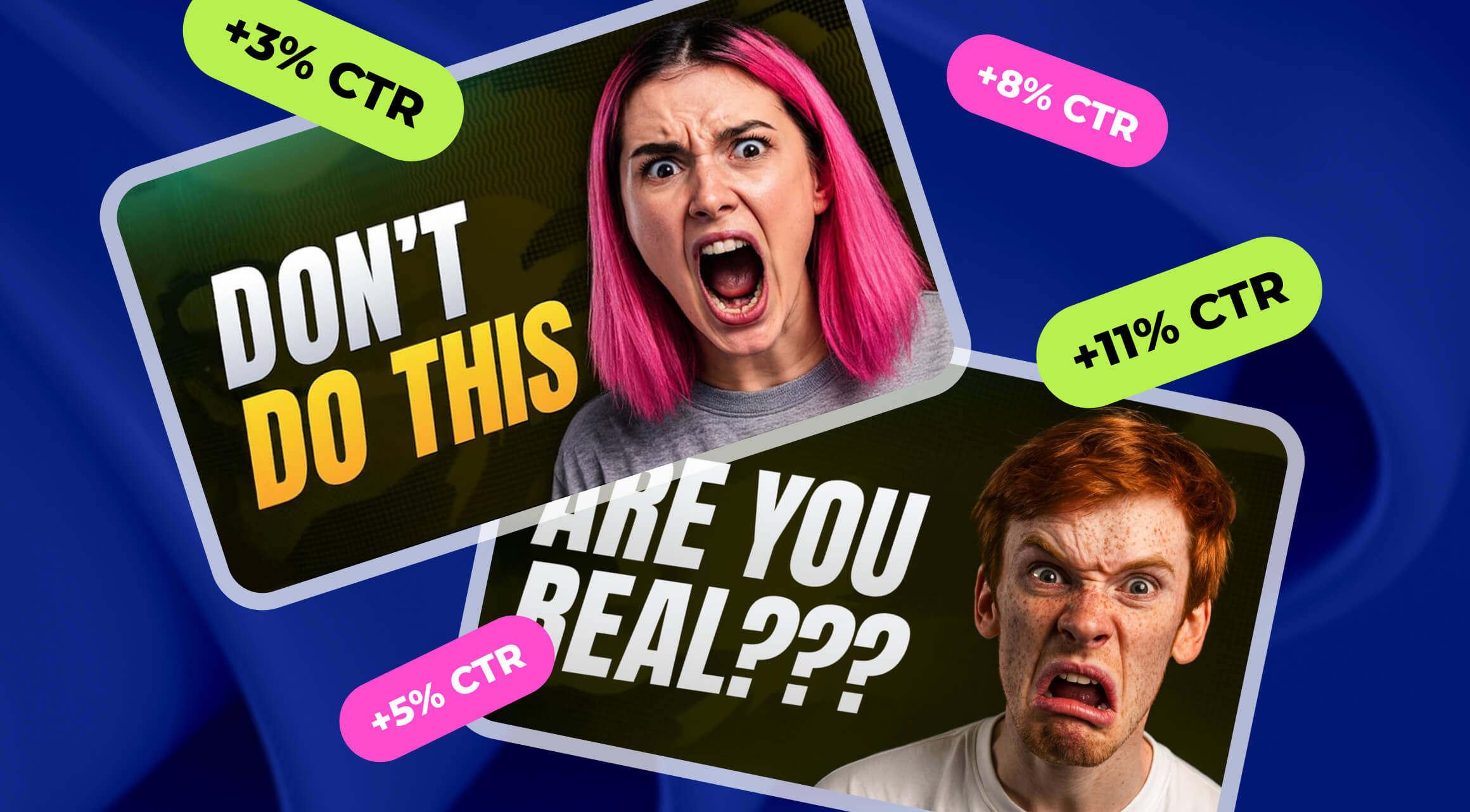

Thumbnails are the first impression of your videos, the ultimate visual hook that determines whether a viewer will click or scroll past. A great thumbnail can drive higher click-through rates (CTR), which ultimately impacts the performance of your video. With AI tools now on the scene, the designing part has never been easier. You can stop guessing what works and use tools that already know the answer.
We know thumbnails are one of the key drivers for CTR, but why is that so? Consider these important points:
- Visual Appeal: Humans always make snap decisions based on visuals. A simple, clear, eye-catching thumbnail will attract more viewers.
- Consistent Branding: If your thumbnails follow a consistent style, it makes your channel recognizable, and the viewer will mentally associate that style of thumbnails with your channel.
- Psychological Triggers: If your thumbnails have human faces, use bright colors and clear text, they will attract more attention because humans are naturally drawn to faces.
- Algorithmic Impact: YouTube’s algorithm favors videos with higher engagement, and higher CTR signals to YouTube that your content is worth recommending.
With AI-powered tools, the guesswork is minimized, and the focus shifts to producing high-quality thumbnails faster and more consistently. Let’s look at some tools that can help you do just that.
1. Pikzels
So, let’s start with the first contender for the title of a great AI-powered thumbnail generator. Pikzels uses image recognition and design automation to create eye-catching thumbnails. There’s no guesswork involved, the algorithm analyzes the sea of countless images and thumbnails to see which ones work the best with the audience.
Even more than that, this tool analyzes your video’s best moments and generates multiple design templates that are optimized for CTR. The templates are customizable and can be adjusted according to your niche. Pikzels can also automatically adjust text size, contrast, and layout based on real analytics.
Pros:
- The editing tools help you control the process. You can tweak the thumbnail, adjust colors, and refine details as needed
- ‘Recreate’ feature lets you model after successful thumbnails
- FaceSwap feature makes it easy to add your face to whatever thumbnail you like
- Suggestions are based on best practices in your specific niche (the app supports 12 best-performing thumbnail styles)
Cons:
- AI is inconsistent, so you’ll have to go through multiple tries to get something you’ll like
- Expensive for people who intend to use it often
- Templates might feel and look a bit generic without proper tweaks
Pikzels’ Features
Pikzels’ pricing starts at $20/mo for Essential, with Premium at $40/mo and Ultimate at $80/mo. Pikzels offers some free trials, but they are very limited and have a watermark. The free version has some basic features available, but they are very barebones.
Essential version for $20/mo will allow you to:
- Generate up to 20 thumbnails per month
- 200 credits
- No access to Thumbnail Recreation, FaceSwap, Edit Thumbnail, or Title Generator
- No private generations or early access to new features
Premium bundle ($40/mo) will allow you to:
- Generate up to 150 thumbnails per month
- 1000 credits (Increases Monthly)
- Include Thumbnail Generator and Thumbnail Recreation
- Get access to FaceSwap, Edit Thumbnail, and Title Generator
- No private generations or early access to new features
And the Ultimate package ($80/mo) will let you to:
- Generate up to 450 thumbnails per month
- 3000 credits (Increases Monthly)
- Have all features unlocked, including FaceSwap, Edit Thumbnail, and Title Generator
- Have all generations remain private
- Get an early access to new features
If you choose to have annual billing, you can save up some money per month on the deal.
Source: Chris with Minn Media
2. Spotter Studio
Next up is Spotter Studio, that’s very similar in its functionality to Pikzels with some additional tools on top. It’s an AI-driven thumbnail creation tool designed specifically to optimize visuals based on data-driven insights. It uses advanced image analysis to recommend better design adjustments and auto-generates thumbnails based on your video, which sounds cool on paper.
The tool provides thumbnail templates optimized for CTR based on visual appeal and trends. It generates AI-based color and text suggestions for better visibility in the algorithm. And, on top of that, it auto tests your thumbnails’ performance to suggest improvements.
Pros:
- Automated performance tracking to improve CTR
- Uses AI-powered insights to understand what works best in your niche
- Templates can be customized (which is great for those, who aim at a specific style)
- Analyzes your videos to make the best possible thumbnails
Cons:
- Restricted to your region, which isn’t great if you want to scale globally
- Doesn’t support Shorts
- Can be overwhelming for first-timers due to the amount of features, will have a learning curve
Spotter Studio’s Features
Spotter Studio’s price is $49/mo, which can be a lot for some creators, but the Studio offers discounts if you choose to have an annual subscription plan instead. Additionally, there’s a free trial available with limited functionality. For the price presented above, you get the following:
- Unlimited AI concepts, titles, and thumbnails
- Outlier video tracking
- Collaborative project planner
- Invite 2 additional team members
- Connect 1 YouTube channel
- Access to Brainstorm, Outliers, Projects, and more coming soon
Source: Knowledge by Marcus
3. Viewstats
Viewstats is mostly a platform made for analytics, but it includes lots of AI-powered features for thumbnail design based on data insights from your YouTube channel (which still makes the life of the creator much easier). The AI analyzes your top-performing thumbnails and generates new designs based on that. The platform is powered by MrBeast’s team, so the product is made with YouTubers in mind.
It generates automatic text overlay suggestions that are meant to attract the attention of the viewer. And it’s integrated with YouTube, which allows easy upload and testing of thumbnails.
Pros:
- Uses real-time data to generate thumbnails based on what’s popular and based on your unique channel’s performance
- Provides actionable insights into what actually works
- Includes a feature to A/B test different thumbnails for better results
- Great for analyzing and tracking the thumbnail’s performance in real time
Cons:
- Limited creative freedom since the focus is on replicating successful styles
- AI isn’t all that advanced and can confuse some niches
- Some users report multiple crashes per session
Viewstats’ Features
Viewstats’ price is €43.12/mo for the basic package for most creators, but if you want to invest into a Business version, the price starts at $249/mo. If you choose an annual billing program, you will have considerable discounts for both options. Since it’s a Chrome-specific extension, there aren’t free trials available.
However, with Pro version you’ll get the following benefits:
- Access to the Pro Discord Channels
- Access to insider niche-specific data about what works best
- An ability to set alerts so no insight is missed
- Access to Outliers to find inspiration for your next video
- A/B testing feature
- Thumbnail Search
- Thumbnail Design
Source: Jamie Owers
4. Thumbly
Another one on our radar is Thumbly, which is an AI-powered thumbnail generator that focuses on making high-CTR thumbnails by using image recognition and real-time AI adjustments (or so they promise). It is said to optimize visual elements like font size, contrast, and color balance to make sure that the thumbnails get the attention of the viewer instantly.
The AI machine in Thumbly gives recommendations for better text overlays and image selection. It automatically crops the key parts of the video to make the most interesting-looking thumbnails. There are also, of course, A/B testing options to help creators refine their thumbnail designs.
Pros:
- The thumbnails this AI creates are visually appealing, and the tool itself is fairly easy in use
- Has different price options and ranges
- A/B testing available
- Uses AI to understand what works best in your niche
Cons:
- Limited customization
- AI might sometimes pick overly generic designs
- Limited styles available
Thumbly’s Features
Thumbly’s price is 1$ per 100 credits. The amount of generated thumbnails depend on the amount of credits that are available to you. The free version is rather generous, where you can experience almost all of the features available in the paid version. What’s the credit and how does it work? Well one credit = one generated thumbnail. Credits can be used anytime within a year from the purchase date.
Additionally, the more you buy, the bigger the discount you get for it.
Source: Russel Canfield
5. VidIQ
And, of course, saving the best for last! VidIQ is an AI powerhouse that isn’t only used for searching up relevant keywords with great precision, but also has introduced a new and exciting feature - thumbnail generator tool.
How does it work? Well, the AI reviews your video, takes the highest performing (aka the most exciting) moments and compiles them into thumbnails that will get clicks. All that information comes from the highest performing videos within your niche!
Pros:
- VidIQ has plenty of other features to play with, which go great with their thumbnail maker (title generator, video ideas suggestion, keywords search)
- Has a bunch of templates to play around with
- Uses insights from the high-performing videos within your niche
- Easy to use
Cons:
- Limited customization
- AI needs precise prompts to generate something great, which might take a bit of a trial an error
- No A/B testing for thumbnails (for now)
VidIQ’s Features
VidIQ’s prices start at $16.58/mo with Coaching at $99/mo available. However, the thumbnail generator tool in itself is free to use with some fair limitations (but no watermark). But, if you get a paid version, you’d be able to get feedback from professionals, which is always great (with addition of other really cool features to explore).
Note: AIR partners can use VidIQ Pro free of charge.
Source: vidIQ
Buyer’s Guide: How to Choose a Thumbnail Generator
With the availability of free AI image generators, there aren’t many to choose from that are aimed specifically at thumbnail creations. So, how do you choose one that works for you? Well, there’s a checklist to follow!
- Is it easy to use? If the tool looks too complicated, it’s better to skip it altogether.
- Speed? If the tool you want to choose takes ages to make a couple of thumbnails and the results are subpar at best - skip.
- How well does it understand the prompts? If you feed the tool of your choice exact and precise instructions and it still fails to follow - skip.
- How well does it work in general? Do you like the end product? If not, you know the drill.
- Can you tweak the results? Can you make changes if you don’t like small things in the done product? If not… well.
AI-powered thumbnail tools have truly changed the way creators approach the visual design of their channel. It certainly makes it easier to make. It makes algorithm-based decisions that give you, the creator, better performance, save time, and ensure that your visuals are constantly updated to reflect trends.
Do you want to stand out from the crowd in the eyes of the YouTube algorithms? Well! Choose the tool that works for you and get to creating.