


A blog can be a powerful evergreen traffic source for YouTube creators. But the barrier to maintaining a high-quality blog is the 4–6 hours of manual labor required to transcribe, format, and optimize a single video into an article.
To solve this bottleneck, we are announcing a partnership with “Video To Blog AI”. This tool allows you to convert video assets into SEO-optimized articles, newsletters, and social posts in under 60 seconds.
Through this partnership, all members of the AIR community get an exclusive 30% discount on “Video To Blog AI”. To get this deal, fill in the form to receive your unique promo code.
What else can the AIR community get?
This year, we’re adding 10+ new tools to our existing lineup of 40+ creator solutions. “Video To Blog AI” is one of them, a simple way to diversify your revenue and grow your audience. Our goal is to make sure you have everything you need to reach your goals in one place. Join AIR and explore all the ways we can help you scale!
Your 5-Minute Path to Passive Income with “Video to Blog AI”
The potential for growth beyond YouTube is massive, often outpacing the revenue of the videos themselves. As Lindsey Bomgren (a fitness creator with over 1 million YouTube subscribers) shared with Business Insider:
"I love having multiple income streams. When I started my business, I didn't think I'd make more than $100,000 a year. From January to April this year, my blog made $150,000 in revenue. We also made $55,000 from YouTube in the same period for a total of $205,000. It's amazing. I now have a team of three to help out with SEO and social media."
Lindsey isn't alone. Industry leaders like Roberto Blake and thousands of other top-tier creators are building high-traffic blogs as vital secondary revenue streams. While most of these creators employ full teams to manage their SEO and social media, “Video To Blog AI” gives you those same professional capabilities instantly.
You can capture that additional revenue and traffic without the high overhead costs of a full production team.
Repurposing YouTube Videos Into a High-Traffic Blog
“Video To Blog AI” is a specialized tool that transforms YouTube videos or raw files into structured, publication-ready articles in seconds.
1. Dual-Mode Article Generation
- Companion Article: A precise retelling of the video content. This is ideal for tutorials or educational content where the text must mirror the video’s internal logic and steps.
- Original (Unique) Article: If you want to build a standalone blog that ranks on Google, the Unique Article mode is your way to accomplish that. It uses your video as a factual foundation but generates a completely original article. This is ideal for avoiding "duplicate content" issues and capturing new traffic from search engines.
2. Advanced SEO Suite
The platform builds a ranking-ready page. It automatically generates:
- Semantic outlines: proper H1, H2, and H3 hierarchies.
- Metadata: SEO titles, descriptions, and URL slugs.
- Schema markup: Automatically includes FAQ and Article schema to help your content appear in Google’s "rich snippets."
3. Automatic Visual Integration (Smart Screenshots)
One of the tool's standout features is its ability to "watch" the video. It automatically identifies key moments, captures high-resolution screenshots, and embeds them into the article.
Our friend Kevin Koble made a video overview of the tool, so you can see the insides before trying:
The User Flow: From YouTube to Published Post
The workflow is designed to fit into a busy production schedule:
- You can link your entire YouTube channel for automatic drafts every time you upload, or simply paste a single video link to get started.
- Select your output language (30+ supported), desired length (up to 3,000 words).
- Toggle "Smart Screenshots" to let the AI visually "watch" and capture frames.
- Choose "Companion Article" for a faithful summary of the video or "Original Article" to create a unique piece of content based on your video's facts.
- The tool automatically generates meta tags, descriptions, and H1/H2 headers to help you rank on the first page of Google. It can also add relevant links to the text and embed CTA sections.
- Use the built-in feature to check for SEO health and use the "AI Edit" tool to highlight text to expand, simplify, or rewrite sections.
- Have a massive archive of old videos? Convert dozens of them into blog posts simultaneously to refresh your website’s traffic.
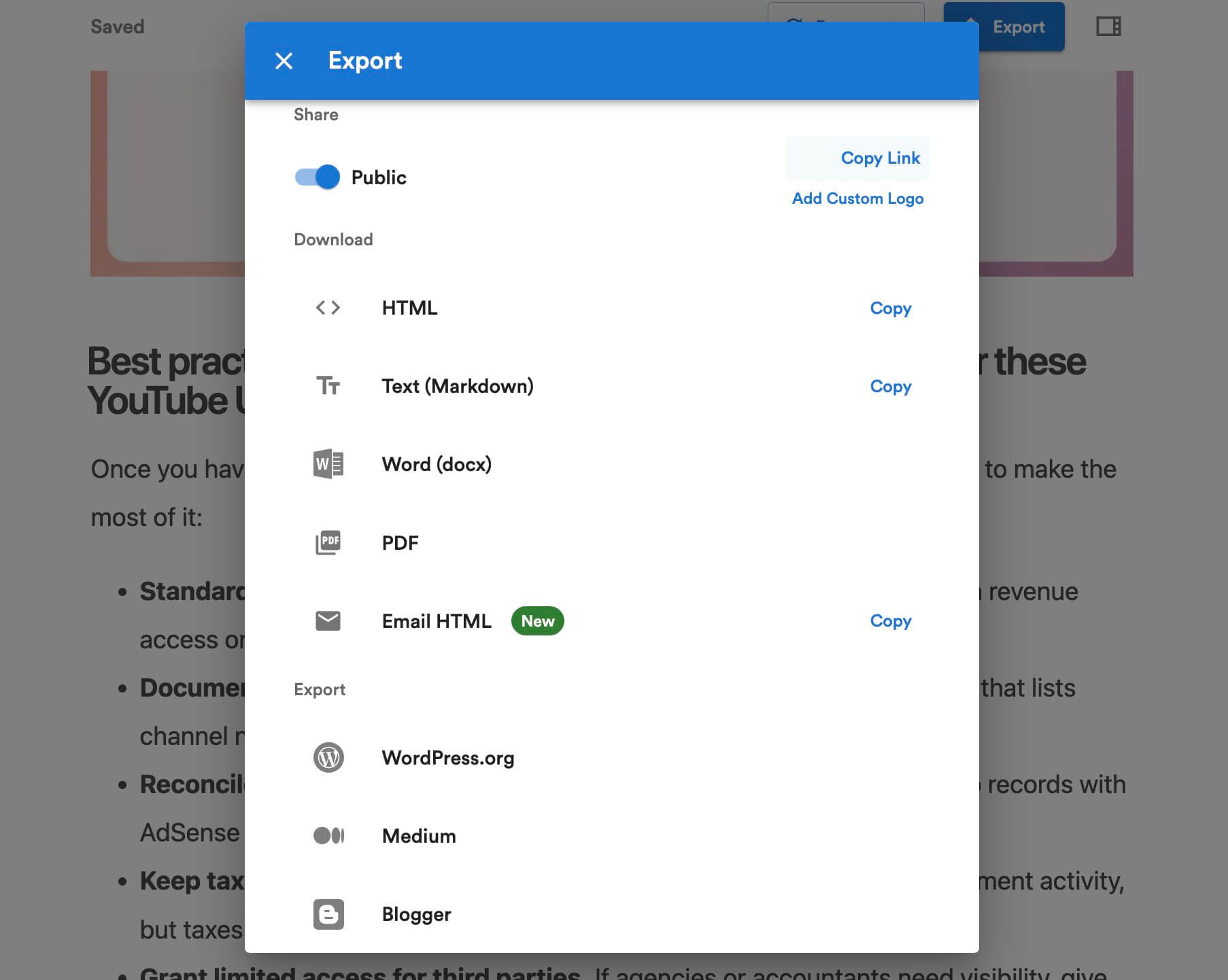
- Export directly to WordPress, Shopify, Webflow, or Ghost. Alternatively, download as a PDF, Markdown, or DOCX for social media use.
Get Your 30% Discount on “Video To Blog AI”
All members of the AIR community get an exclusive 30% discount on any subscription level. Just fill out this form to receive your unique promo code.
From Video to Article: A Step-by-Step Walkthrough
We tested the tool using a Creator Insider video on the latest YouTube updates to show you exactly how it works.
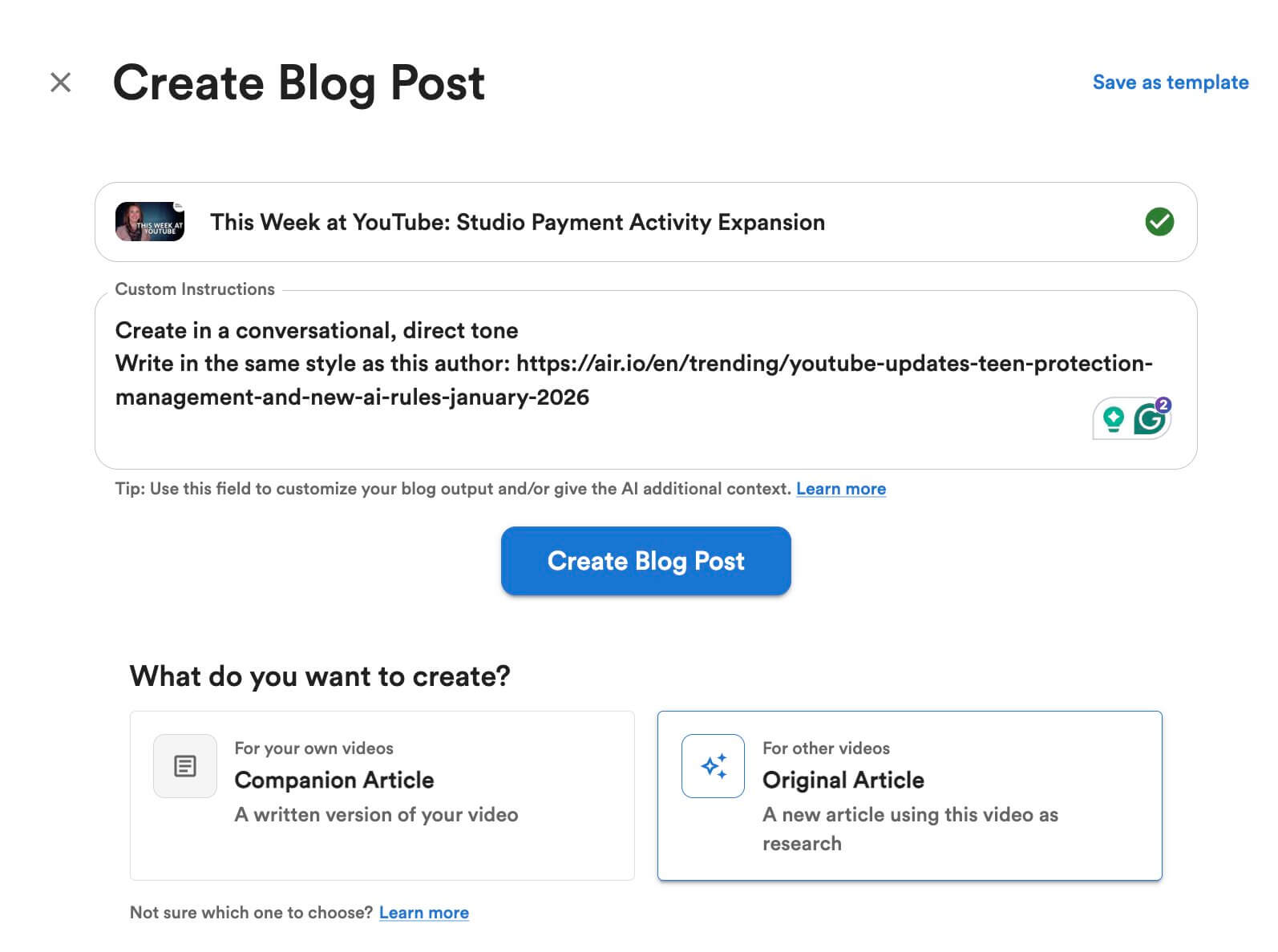
1. Pick Your Style and Tone
After pasting the video link, we chose "Original Article" mode so the AI would use the video as research but write a fresh, unique post. We also added a link to a previous blog post in the "Custom Instructions" to make sure the AI matched our specific writing style.
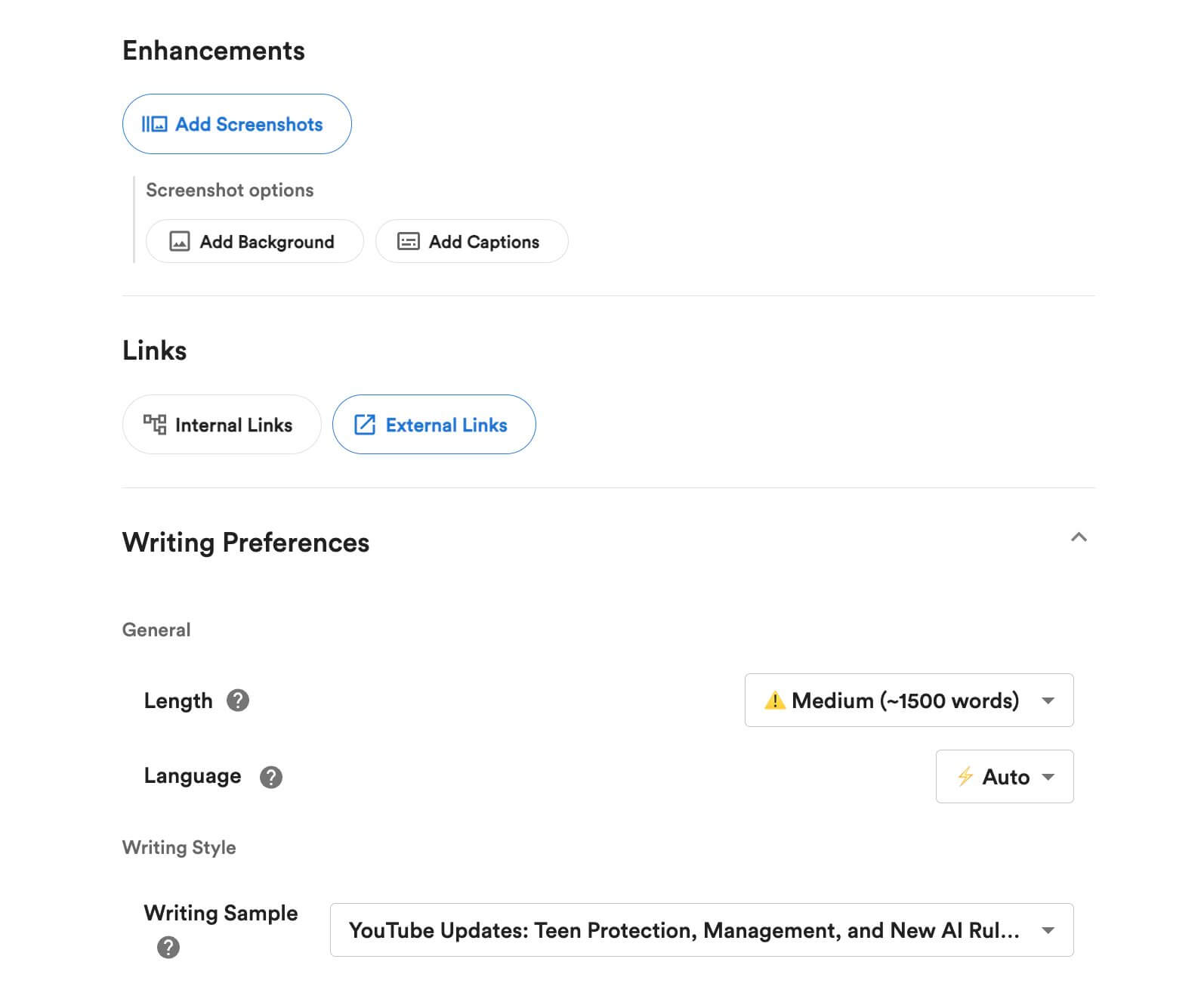
2. Fine-Tune the Details
Next, we set the target length to 1,500 words and uploaded a Writing Sample to ensure the voice stayed conversational. We also turned on "Add Screenshots" so the AI would automatically grab visuals from the video to break up the text.
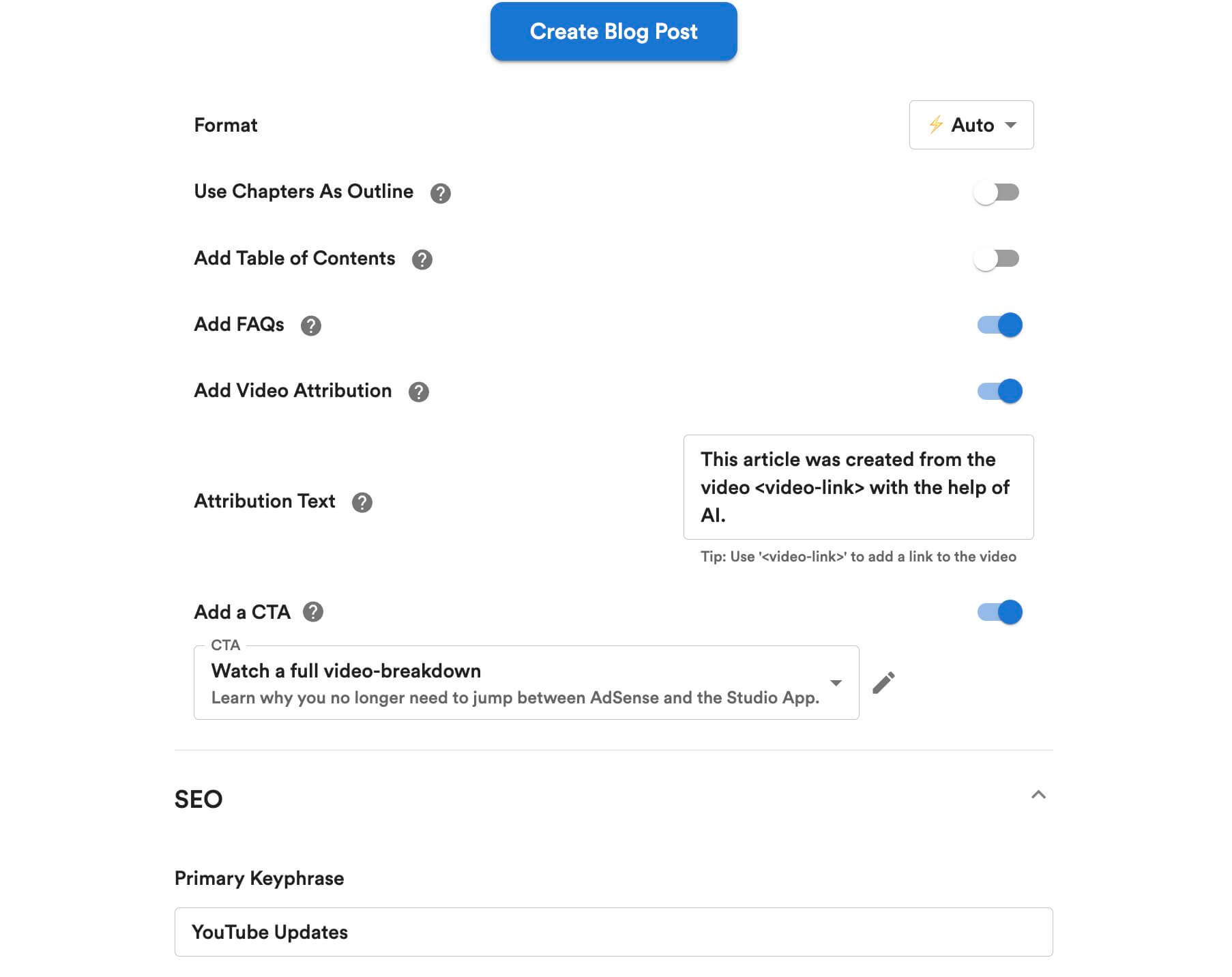
3. Build for SEO and Interaction
To make the post rank on Google, we entered "YouTube Updates" as our primary keyword. We also enabled FAQs for better searchability.
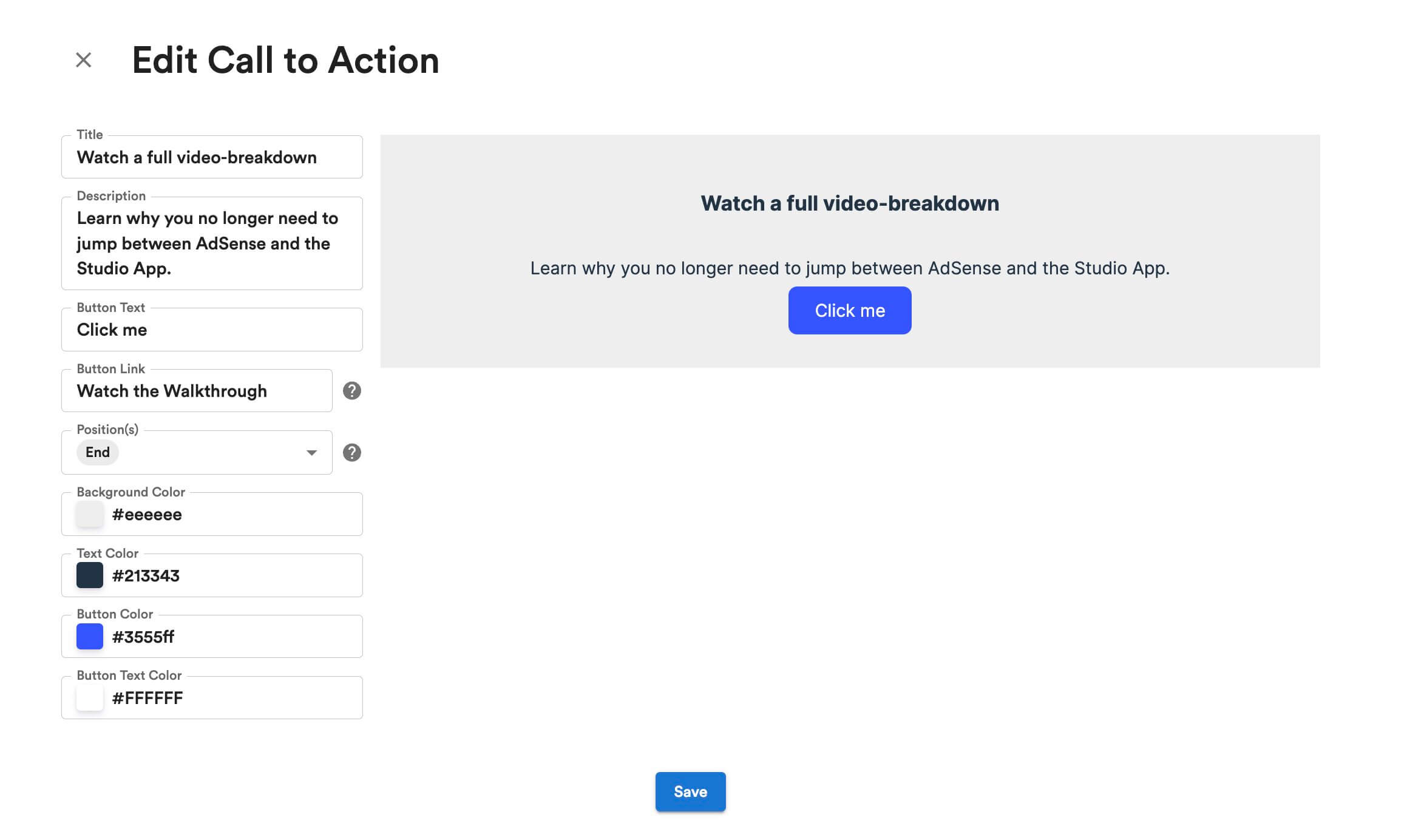
4. Add a Custom Call-to-Action (CTA)
To keep readers engaged, we designed a custom CTA block. We added a "Watch a video" button with a direct link back to the YouTube breakdown so readers could easily switch between reading and watching.
5. Final Polish and Export
Once the draft was ready, we used the AI Edit tool to refine the text. With one click, the article was ready to be exported directly to WordPress or downloaded as a professional DOCX.
Click here to see the final article we created using these steps →
Get Your Exclusive 30% Discount
We have secured a unique offer to help creators from the AIR community test this technology. By filling out the form below, you will request a 30% discount promo code valid for any subscription tier.
This exclusive deal allows you to save up to $350 per year on your subscription.
