


You made great YouTube videos. Repurposing them for TikTok or Instagram is a smart move, but not obvious. Even top creators often skip it. Among our 3,000 creators, it’s the most stable strategy. But resizing, reformatting, clipping, captioning, and reposting take forever. But don’t worry, AI will save the day.
AI content repurposing tools are designed to automate the hard stuff, so you can turn one video into 8 pieces of platform-optimized content without spending 10 extra hours editing.
8 Tools with Key Details
Let’s break down the TOP 8 AI video format conversion tools that help you resize, reshape, and repurpose your videos for every platform and audience.
1. Repurpose.io
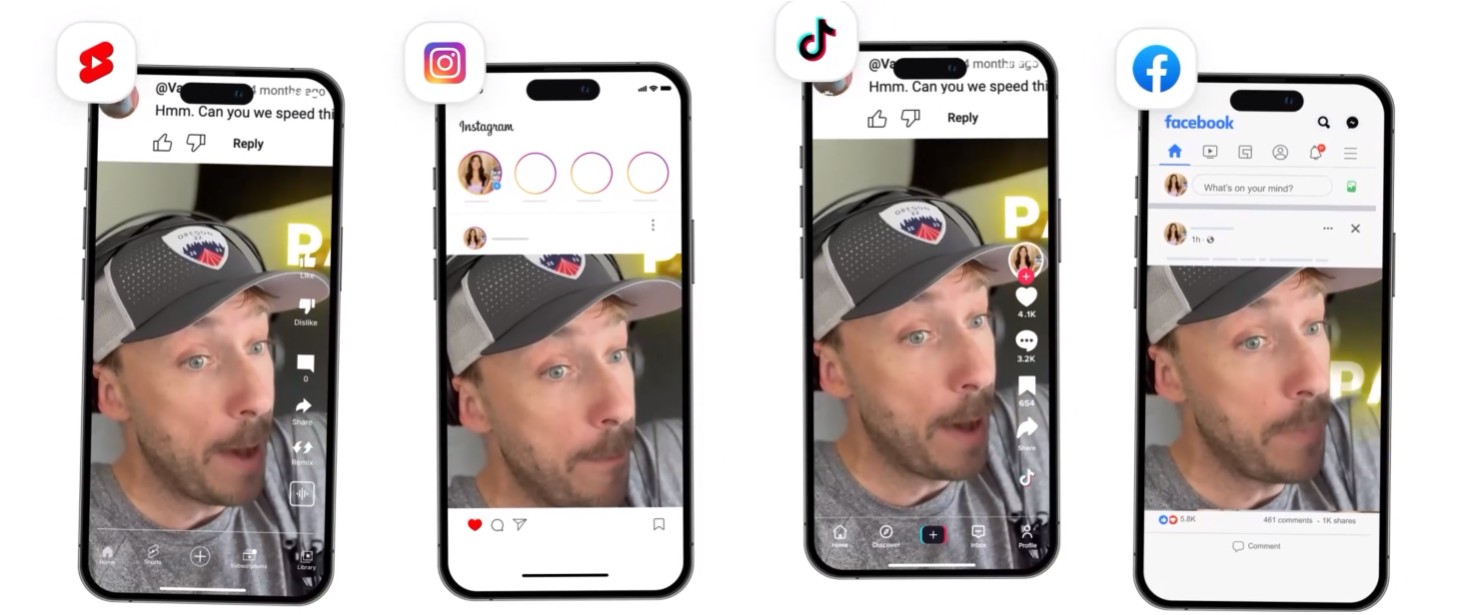
→ Repurpose.io is a powerful automation tool that helps creators and marketers repurpose their long-form content into platform-specific formats. It automatically adds captions, resizes videos, and posts to multiple social platforms based on your preset rules.
→ Repurpose.io Features:
- Auto-captioning and burned-in subtitles
- Auto-publishing to TikTok, YouTube Shorts, Instagram, LinkedIn, and more
- Adaptive video editing with preset rules
- Multi-account and multi-platform management
- Premium Social Pack with advanced templates
→ Free Plan / Trial: 14-day free trial available.
→ Repurpose.io Pricing:
- Starter – $349/year (~$0.97/day): Manage 3 accounts per social platform, publish up to 5,000 videos/month, includes Premium Social Pack. Best for solo creators.
- Pro – $790/year (~$2.19/day): Manage 10 accounts per platform, unlimited publishing, Premium Social Pack. Ideal for teams or multi-brand creators.
- Agency – $1,790/year (~$4.97/day): Manage 25 accounts per platform, unlimited publishing, advanced control, designed for agencies and high-volume teams.
2. Opus Clip
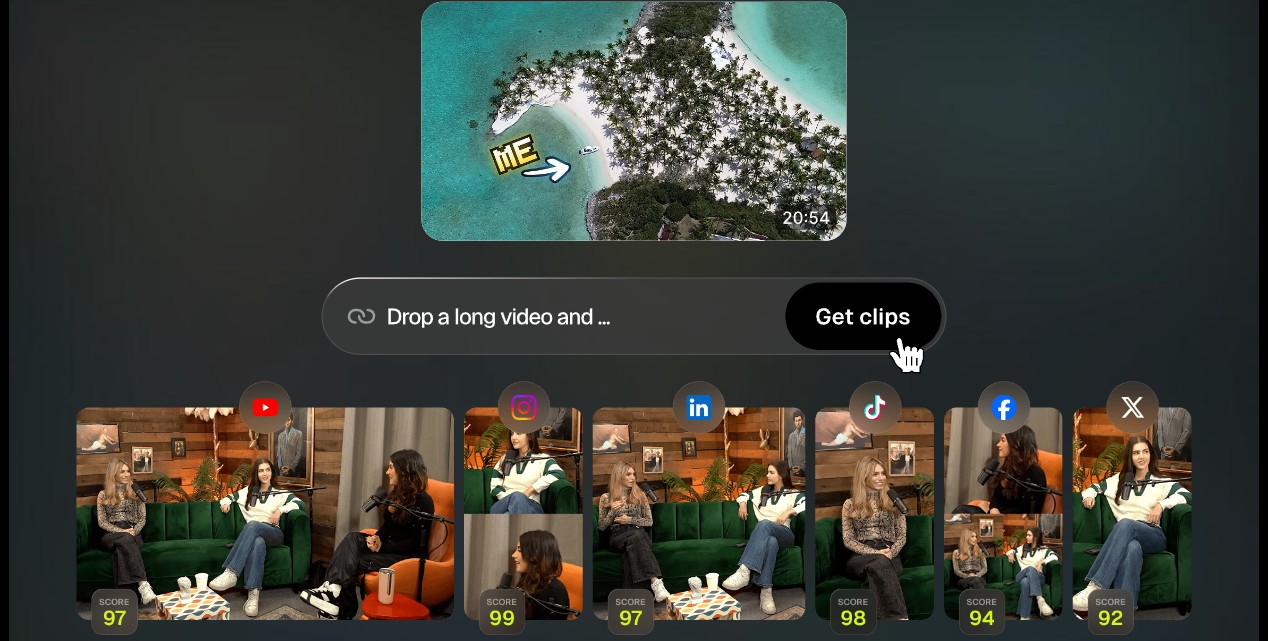
→ Opus Clip is a video resizing AI tool that transforms long-form content into short, captioned, vertical clips. It uses AI to detect high-impact moments and predicts viral potential with a scoring system, making it perfect for social media repurposing.
→ Opus Clip Features:
- AI clip selection with virality scoring
- Automatic captions with animated styles
- Supports multiple aspect ratios (9:16, 1:1, 16:9)
- Direct publishing & social media scheduling
→ Free Plan / Trial: 60 credits/month (~60 minutes of processing). Watermarked exports.
→ Opus Clip Pricing:
- Starter – $15/month: 150 credits, 1 brand template, watermark removed, standard export resolution.
- Pro – $29/month: 3,600 credits, 2 team seats, multiple brand templates, AI speech cleanup, custom fonts, export to Adobe Premiere / DaVinci Resolve.
- Business – Custom Pricing: API access, priority support, enterprise storage, more team seats.
Ready to scale beyond YouTube?
Contact us at AIR Media-Tech. We’ll help you build a multi-platform distribution strategy, powered by data from 3,000+ channels we manage.
3. Videotap
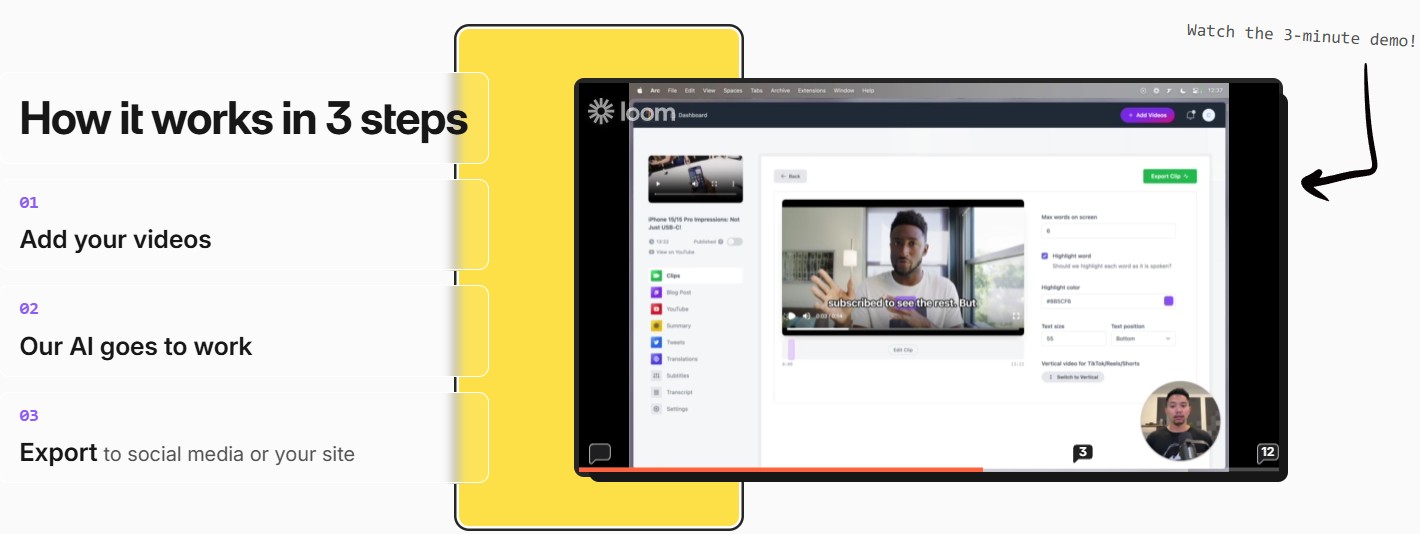
→ Videotap is a tool that helps batch creators and marketers repurpose long-form videos into fully optimized short clips with captions, SEO-friendly titles, and metadata for multiple platforms.
→ Videotap Features:
- Auto-captioning and transcription
- SEO-friendly titles and keyword tagging
- Multi-platform format export
- Keyword metadata generation
→ Free Plan / Trial: Limited trial exports available.
→ Videotap Pricing:
- Creator – $21/month: 100 minutes/month, up to 45-minute videos, 1080p export, good transcription.
- Crew – $67/month: 400 minutes/month, up to 2-hour videos, better transcription and generation quality, 1080p export, up to 3 team members.
- Studio – $125/month: 1,000 minutes/month, up to 2-hour videos, 4K export, best generation quality, up to 10 team members, priority support.
4. GetMunch
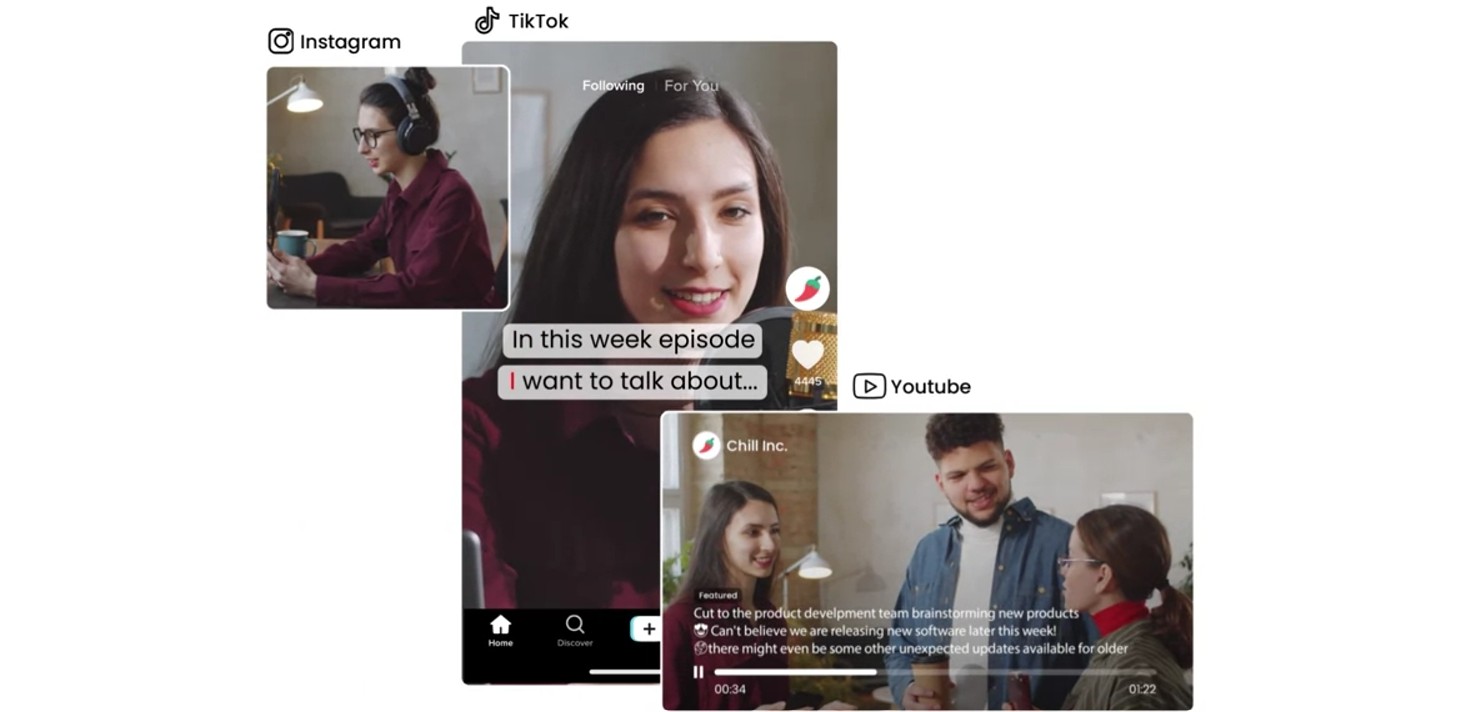
→ GetMunch helps content teams generate short clips with captions based on marketing analytics. It analyzes your long videos, chooses high-performing moments, and auto-generates social-ready versions in multiple languages.
→ GetMunch Features:
- Auto-captioning + translation
- AI-generated clip selection
- Analytics dashboard for content performance
- Multilingual support
→ Free Plan / Trial: No free plan.
→ GetMunch Pricing:
- Pro – $49/month: 200 minutes/month, captioning and clip generation included.
- Elite – $116/month: 500 minutes/month, multilingual support, early access to new features.
- Ultimate – $220/month: 1,000 minutes/month, full access to all premium tools, faster processing.
5. Clipwing Pro
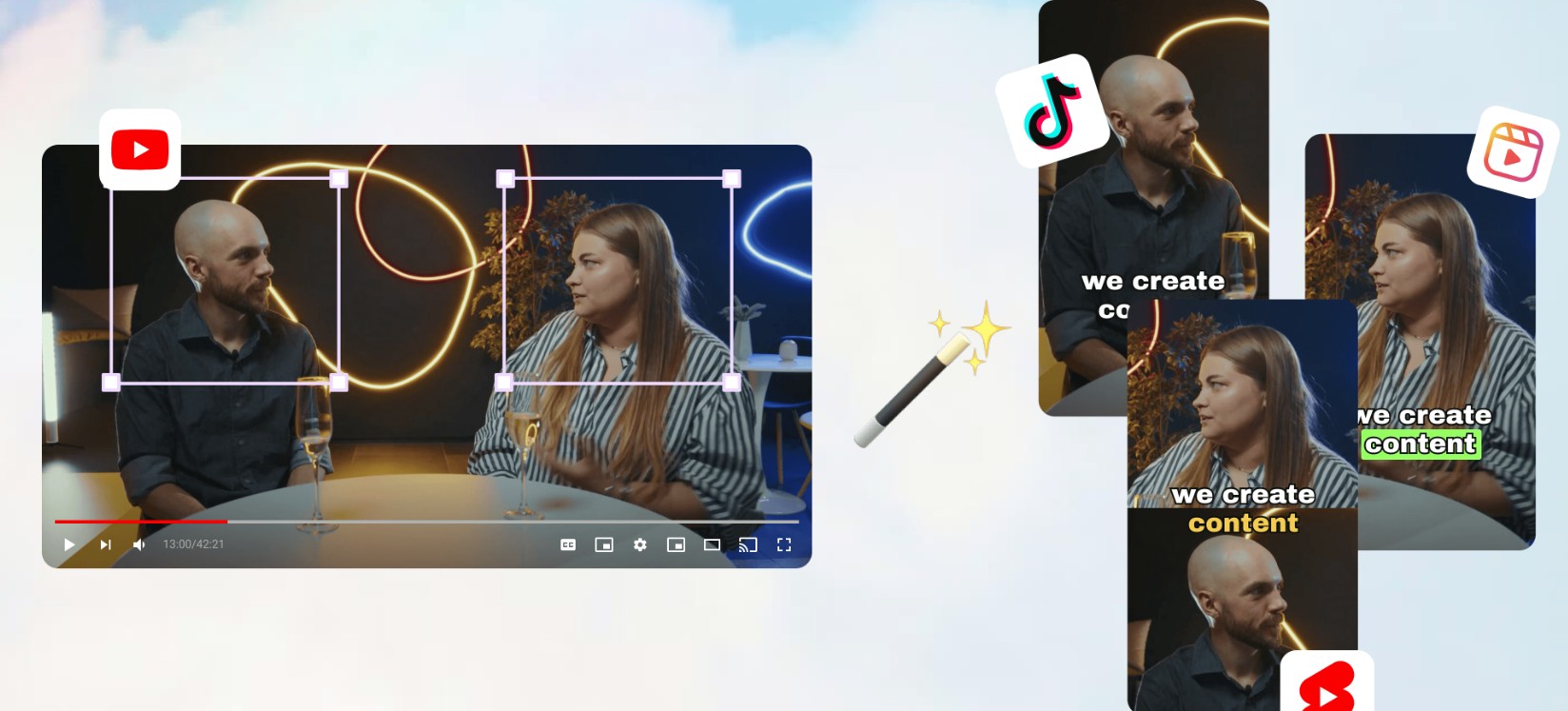
→ Clipwing Pro is designed for creators and businesses that want editorial control over clip generation and caption design. It combines human editors with AI tools for polished, branded video content.
→ Clipwing Pro Features:
- Human + AI hybrid clip creation
- Custom fonts, styles, branding for captions
- Slack-based collaboration
- Add-ons like YouTube thumbnails and summaries
→ Free Plan / Trial: No free plan. $24.99 per one-time test.
→ Clipwing Pro Pricing:
- Studio Pro – $2,999.99/month: 1 request at a time (5-day turnaround), 3 short-form clips/request, captioned and styled, Slack support.
- Studio Advanced – $3,999.99/month: Everything in Pro + long-form episodes, YouTube thumbnails, full summaries, branded deliverables.
- Studio Full-Time – Custom Pricing: Dedicated full-time editor, unlimited content requests, ideal for brands needing consistent high-output.
6. Vizard
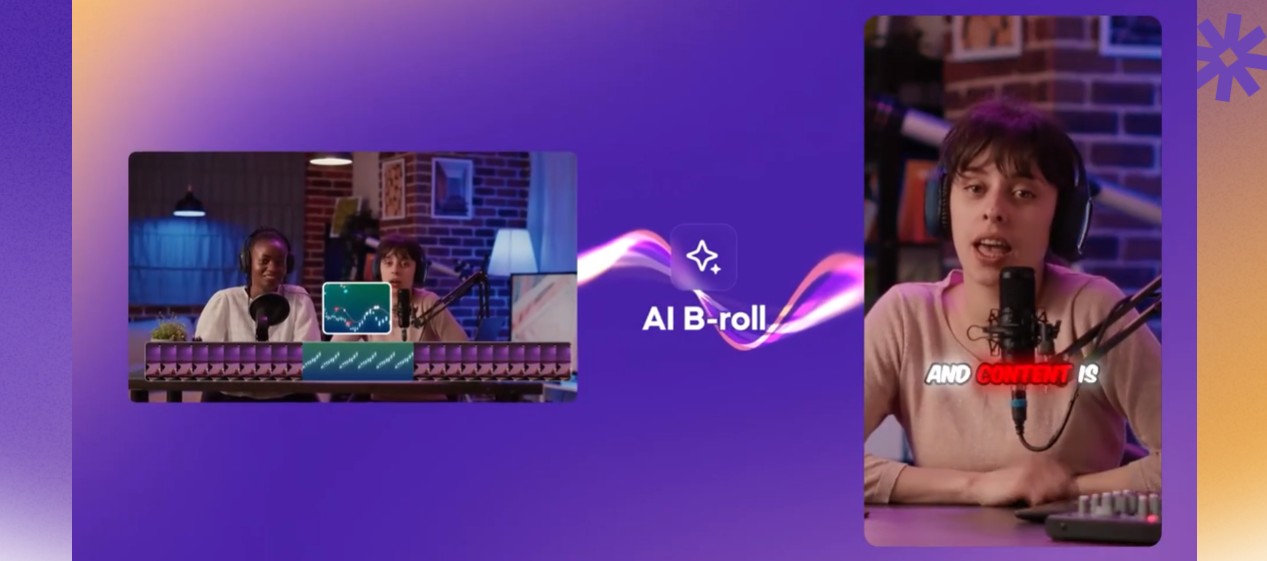
→ Vizard is built for marketers and educators who want to convert webinars, interviews, or tutorials into short, shareable clips. It offers smart scene detection and stylized captions, all through an intuitive editor.
→ Vizard Features:
- Smart scene detection for clipping
- Auto-captions with style presets
- Aspect ratio conversion (horizontal ↔ vertical)
- Branded templates
→ Free Plan / Trial: Free version with watermarks, limited export options.
→ Vizard Pricing:
- Starter – $20/month: 180 minutes/month, watermark-free exports, branded captions.
- Pro – $39/month: 600 minutes/month, AI clip generator, priority support.
- Business – $69/month: 1,200 minutes/month, team collaboration, bulk processing.
7. Snapcut AI
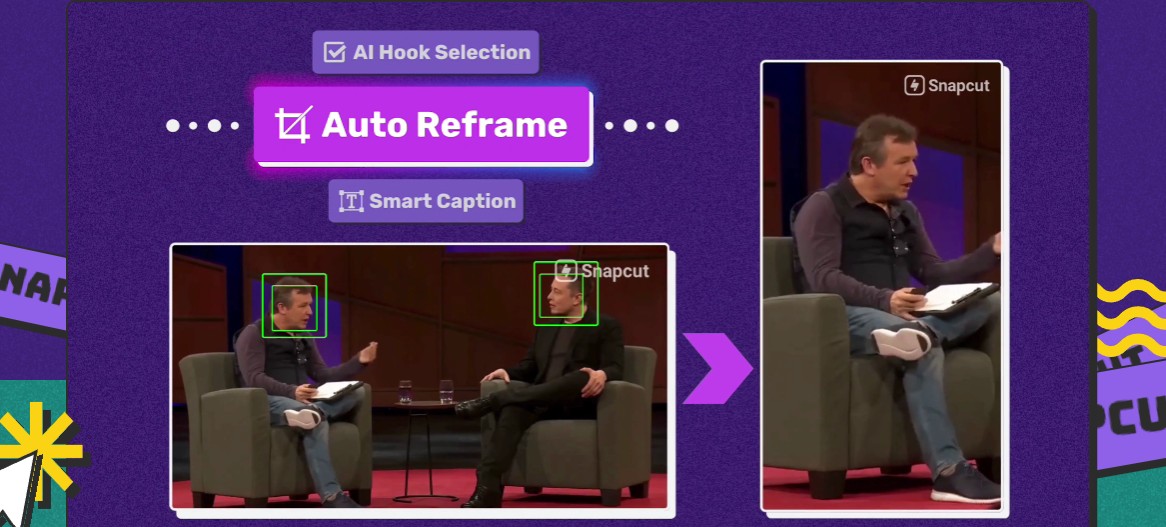
→ Snapcut AI is optimized for short-form video creators. It uses AI to detect highlight moments, automatically add captions, and export videos in various formats. Perfect for TikTok, Reels, and Shorts.
→ Snapcut AI Features:
- AI highlight detection
- Auto-captions in 20+ languages
- Aspect ratio conversion (9:16, 1:1, 16:9)
- Up to 4K export (Pro plan)
→ Free Plan / Trial: 60 minutes/month, 720p export, watermark.
→ Snapcut AI Pricing:
- Starter – $8.99/month: 150 minutes/month, up to 1080p, editable captions, no watermark.
- Pro – $11.33/month: 3,600 minutes/year, 4K exports, raw downloads, faster processing, more layout options.
8. Recast.studio

→ Recast.studio is a caption-first repurposing tool with multilingual support and a drag-and-drop editor. It’s ideal for creators turning one video into many versions for different audiences.
→ Recast.studio Features:
- Multilingual AI-generated captions
- Caption customization
- Simple video editor with templates
- Multiple export formats
→ Free Plan / Trial: One-time trial of 60 credits (~5 minutes of video).
→ Recast.studio Pricing:
- Starter – $10/month (billed annually): 120 credits (~300 minutes/year), videos up to 15 mins, captions in 20+ languages.
- Professional – $20/month (billed annually): 300 credits (~600 minutes/year), videos up to 60 mins, advanced templates, priority support.
How to Pick the Right Video Repurposing Tool
Use this checklist to choose the best multi-format video tool for your workflow and content goals:
30-Second Picks (by use case)
- Social-first short-form repurposing → Opus Clip or Snapcut AI (auto-highlight detection, Shorts/Reels-ready formats, auto-captions)
- Marketing teams & SEO-driven creators → GetMunch or Videotap (title/tag generation, analytics, batch clips, multi-platform)
- High-volume workflow automation → Repurpose.io or Vizard (set-it-and-forget-it pipelines, bulk publishing)
- Full creative control & brand styling → Clipwing Pro (custom fonts, team collaboration, done-for-you editing)
- Multi-language captioning & accessibility → Recast.studio or Snapcut AI (multi-language support, custom caption editor)
- Repurposing from long-form video libraries → Videotap or Opus Clip (batch processing, auto-clip selection, YouTube compatibility)
- AI-enhanced storytelling for agencies → GetMunch or Clipwing Pro (insights + AI selection + editorial review)
What to Check Before Choosing
- Format coverage: does it support vertical, square, and horizontal exports (9:16, 1:1, 16:9)? Essential if you're targeting multiple platforms like TikTok, YouTube Shorts, and Instagram Reels.
- Content input: can it handle Zoom calls, webinars, podcasts, YouTube videos? Not all tools are optimized for all formats.
- Editing flexibility: do you want fast automatic clips (Snapcut, Opus Clip) or deep control over captions, cuts, and styling (Clipwing, Recast)?
- Speed at scale: can it process multiple 30–60 minute videos quickly? Time-saving only matters if it holds up under batch workflows.
- Publishing pipeline: want direct auto-posting to TikTok/IG/YouTube? Tools like Repurpose.io or Quso.ai save hours per week.
- Caption support: need subtitles for accessibility or SEO? Look for tools like Recast, Snapcut, or Videotap with built-in multilingual captioning.
- Team collaboration: if multiple creators/editors are involved, Clipwing Pro or Brevidy offer shared presets and collaboration flows.
- Budget vs. ROI: calculate per-minute cost vs. saved editing time. If you publish weekly, look for plans offering 500+ monthly minutes with 1080p+ output.
Pick one tool that delivers fast, clean exports in your most-used format. If it can't create 2–3 platform-ready clips from one long video in under 10 minutes, it's not your tool.
And if you’re serious about scaling globally, contact AIR Media-Tech. From multilingual captions and dubbing to channel strategy and analytics, we help creators grow smarter, not harder.
