
For someone who’d been on YouTube for quite some time, the difference between a successful video and a mediocre one often comes down to one deceptively small element: metadata. The combination of correct titles, thumbnails, descriptions, and tags serves as the first signal to both viewers and YouTube’s algorithm. Even a small improvement in metadata can dramatically increase CTR, which in turn drives watch time, recommendations, and overall channel growth.
Traditionally, testing metadata has been a manual and rather tedious process, because changing titles, tweaking descriptions, and swapping thumbnails with tracking CTR manually is long and boring. But with AI, all of it becomes data-driven and far more precise. AI-powered A/B testing allows creators to automate experimentation across multiple variations of metadata and find the combinations that work best.
YouTube’s A/B Title Testing
As of now, YouTube itself is rolling out A/B testing for titles, which should allow you to test up to three different options for your videos. Why is it useful?
Well, the feature will allow you to increase Click-Through Rates (CTR), because testing and tweaking your metadata accordingly can significantly improve your chances of getting clicks and views. Don’t underestimate the power of subtle tweaks!
Secondly, it will allow you to be guided more by data-driven decisions rather than guesswork. YouTube’s algorithm will find out which title works best, so your job will become easier and more concentrated on creativity.
So far, the reception of the feature has been positive, and creators share their excitement to try it out!
How to A/B Test Titles with YouTube
- The first thing that you need to do is create options to choose from. With YouTube’s title testing, you can choose up to three different options.
- Run the test! YouTube will randomly show each title to viewers.
- See the results, which should be in your Analytics under the ‘Reach’ tab, and see the Watch Time Share.
- Set the winner! YouTube will automatically assign the best performer.
There are, of course, some limitations that every creator should keep in mind while trying to work with YouTube's A/B title testing. First, they don’t offer Shorts support just yet. It’s desktop-only, which means no mobile access for now. You will only be able to see CTR in Watch Time Share.
And who can access the feature? What do you need to get it rolling? First, enable Advanced Features in your YouTube Studio. Second, you’ll need to verify your account.
And then it's onto making informed data-driven decisions.
But Titles are Just the Beginning…
As much as we are excited, metadata isn’t just titles. There’s much more to it. Descriptions, tags, everything in between matters just as much. It’s a complex issue that requires complex solutions. And doing all that by hand? Well… that will take a lot of time, and even more effort that could be spent elsewhere (like in your creative process).
A well-optimized video can be all the difference between horrible visibility and having your channel featured in the recommendations feed. A few optimization tweaks (among other things) helped our partner gain 24k subscribers within only a few months, like we recently did!
If you don’t know how to approach optimization on your channel, reach out to us! AIR Media-Tech has helped thousands of creators, we can help you optimize your metadata and adjust strategy with a step-by-step plan. Apply for an audit today!
It’s also important to understand that optimization isn’t a one-size-fits-all solution. It won’t rescue your channel from the clutches of the low watch time, but it can make it more visible both for the viewers and the algorithms. It’s a must-have if you want to be seen, but it’s not the only solution.
How to Approach A/B Testing with AI
To begin your journey of A/B testing with AI, you need to first find the AI tool that fits your style. And how do you pick among the sea of similar tools?
Simple! You learn what each of them does, their strengths and weaknesses. And we will help you with that. Some of the tools excel at thumbnail optimization, others at title testing, and some provide full metadata optimization.
The important thing is to never rely on a single ‘best guess’, even small variations can have a big effect on your CTR. Continuous testing beats one-off optimization, which means that you will need to go back to your old videos from time to time (not everyday, mind). Metadata that worked last year might underperform today.
Using AI is nice, but human intuition and thoughts are also an integral part of videomaking. You can consult AI, but the final decision should be yours. AI predicts trends, but creators can sense and add emotional value and brand consistency. Now that that’s out of the way, let’s dive deep into the fancy tools you can use!
VidIQ
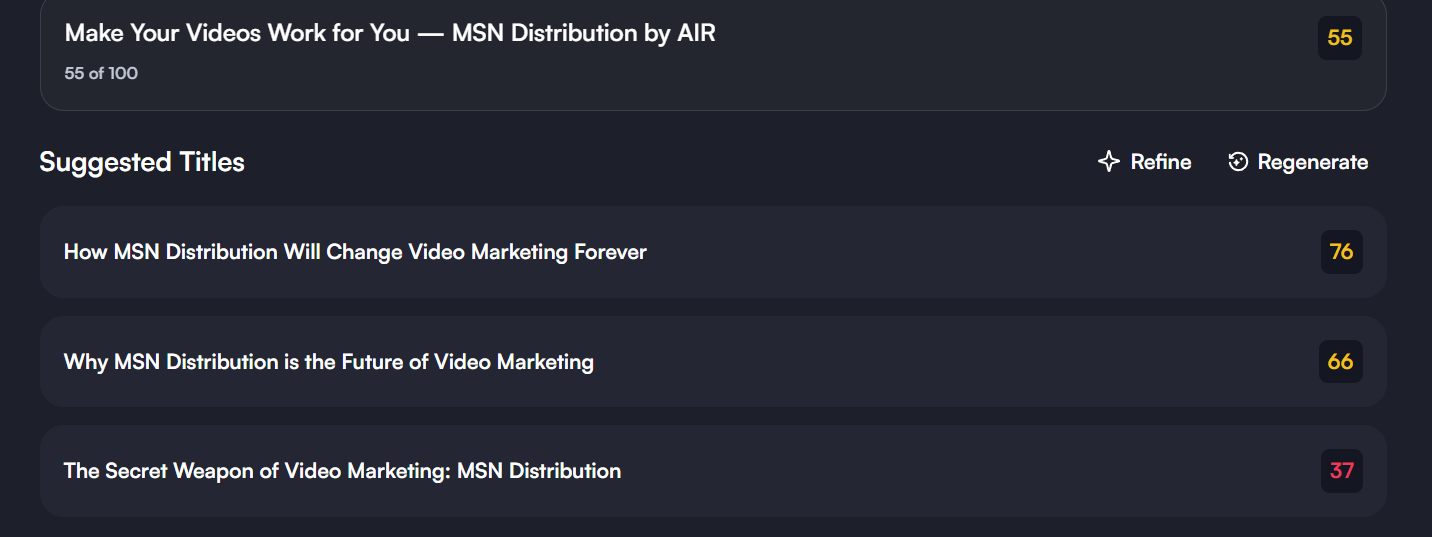
Let’s start with VidIQ, which is a comprehensive YouTube growth platform. Beyond A/B testing, it provides insights into titles, tags, thumbnails, descriptions, and even predicts performance metrics. How does it do it? Well, VidIQ’s AI evaluates historical channel data, trending topics, and click-through patterns to recommend optimized metadata variants. AI-powered A/B testing for titles and thumbnails, with real-time predictive CTR scores.
Key features for A/B testing in VidIQ are as follows:
- Title testing, which allows you to upload multiple title variants and track CTR over time.
- Thumbnail testing, which automatically rotates thumbnails to test which design performs the best.
- Metadata Recommendations, where AI suggests keywords and tags based on your niche and top-performing videos.
- It offers predictive scores and assigns the likelihood of CTR success for different metadata variations.
- Real-time analytics, where the AI monitors engagement and provides real data-driven insights for improvement.
Step-by-Step Guide to Use VidIQ for A/B Testing:
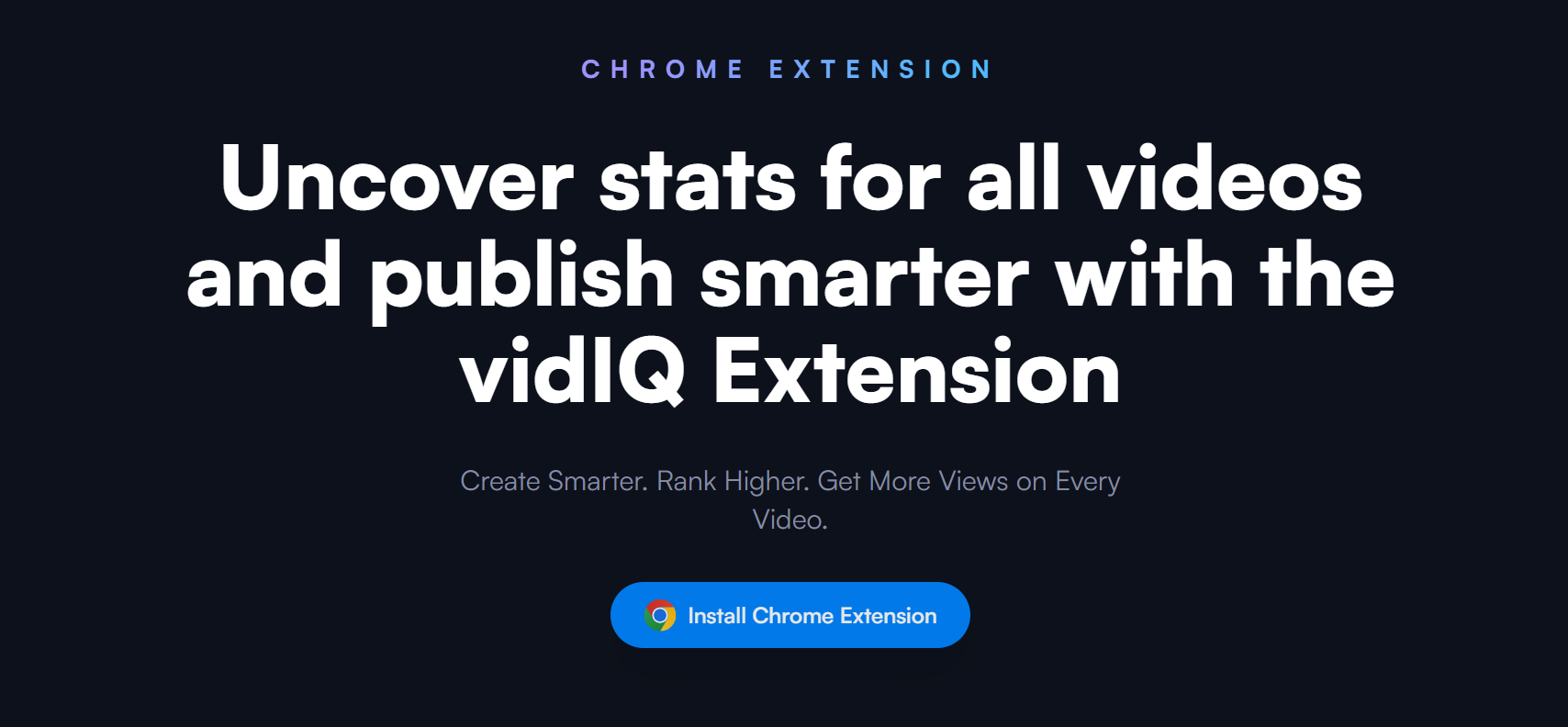
Install VidIQ: Add the browser extension and connect your YouTube channel.
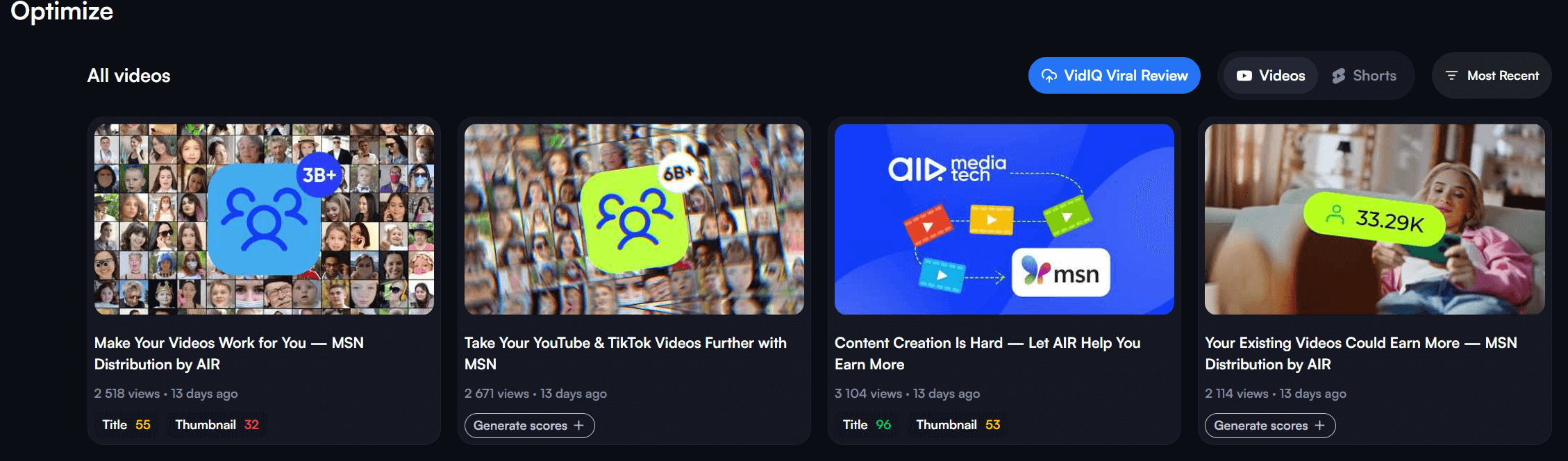
Select a Video: Choose a video that you want to optimize. Ideal candidates are recent uploads or underperforming videos.
Activate A/B Testing:
- Go to the “A/B Testing” tab in the video dashboard.
- Choose the metadata to test: title, thumbnail, or both.
Enter 2-5 title options.
Define Testing Parameters, set duration (e.g., 3-7 days) to get statistically meaningful results.
Run Test and Monitor:
- VidIQ tracks CTR, watch time, and engagement.
- Use predictive analytics to see which variant is the better one.
Pick the Winner:
- Pick the top-performing metadata combination to your video.
- Optionally, replicate successful patterns in future videos.
VidIQ’s Features
VidIQ’s prices start at $16.58/mo with Coaching at $99/mo available. For the minimal price, you’d be able to get access to unlimited optimization for your videos for peak visibility, audit + coaching, and masterclasses from Top Creators.
The more expensive option will give you the perks of the boost pack plus weekday access to your 1-on-1 coach, personal channel audit, step-by-step growth plan, feedback on your metadata.
Source: vidIQ
Now, let’s get into some pros and cons of VidIQ to help you decide whether or not you want to have it.
Pros:
- Comprehensive analytics beyond just CTR.
- AI suggests metadata based on trends and your channel’s performance.
- Real-time monitoring with predictive scoring.
- Works across titles, thumbnails, descriptions, and tags.
Cons:
- Premium features are locked behind paid plans.
- May feel complex for creators new to analytics-heavy approaches.
- Predictive scoring is not 100% foolproof; human intuition is still necessary.
TubeBuddy
Another AI-powered YouTube management platform that can be used for successful A/B title testing is TubeBuddy. It’s quite popular among creators for metadata optimization because of its particular user-friendly features.
Key features for A/B testing in TubeBuddy are as follows:
- Thumbnail A/B Testing, where you can upload multiple thumbnails and measure CTR, watch time, and impressions.
- Title Split Testing, where you can compare different title variations for impact on click-through.
- Tag & Keyword Analysis, where AI suggests optimized tags and keywords for visibility.
Step-by-Step Guide to Use TubeBuddy for A/B Testing:
Install TubeBuddy: Add the browser extension and connect your YouTube channel.

Select a Video for Testing:
- Focus on new uploads or videos with underperforming CTR.
Enable A/B Testing Feature:
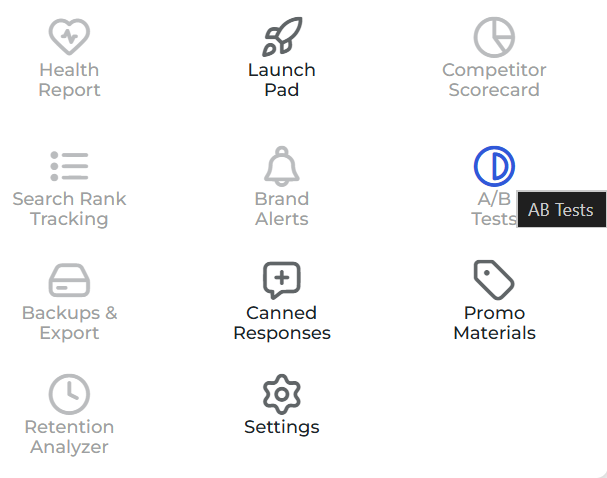
- Go to the “Thumbnail A/B Testing” or “Title Split Test” in the TubeBuddy dashboard.
Upload Variants:
- Thumbnail Testing: Upload 2-4 options.
- Title Testing: Enter alternate titles.
Define Test Settings:
- Choose test duration (3-7 days recommended).
Watch Metrics:
- TubeBuddy tracks CTR, views, watch time, and engagement.
Pick Winning Metadata:
- Replace original metadata with the winning variation.
TubeBuddy’s Features
TubeBuddy’s prices start at $4.50/mo for Pro with Legend at $28.99/mo. For the minimal price, you’d be able to get access to search optimization features (which includes the title A/B testing), limited access to video engagement tools, guides, insider tips, info, and more.
The more expensive option will give you the perks of the pro pack plus access to all 50+ tools/features, unlimited search rank optimization and tracking, video A/B tests and title generators, predictive analytics, and unlimited access to all AI features TubeBuddy offers.
Source: Nick Nimmin
Now, straight into the pros and cons of TubeBuddy
Pros:
- Intuitive interface, which makes it easier for creators without analytics backgrounds.
- Thumbnail and title testing is simple and integrated into the YouTube dashboard.
- SEO analysis helps improve discoverability along with CTR.
- Bulk editing saves time across large channels.
Cons:
- The free plan does not include A/B testing features.
- AI recommendations are basic compared to VidIQ’s predictive analytics.
- Limited options for full automated rotation testing (mostly manual setup).
A/B Testing Translated Metadata
YouTube loves and promotes translated content. That’s today's reality. The more content can reach into the furthest corners of the world, the better it is for algorithms and your growth. Just imagine making full-on localized channels, which might double your income.
But, starting out by jumping straight into localization and video translation without knowing which language markets might work for you best is not the best move due to how expensive it might be. So, how do you get into translation? The easiest and cheapest way is to combine subtitles and metadata translation first to test out the waters.
You can do this with the AI Metadata Translation tool, which was named 2025's AI product of the year for YouTubers. What makes it so good?
Well, first, AI Metadata Translation learns from performance signals (impressions that translate into CTR and into watch time by country/language). It can automatically translate your metadata into 233 languages, so you can dip your toes in the waters of translation and understand which language markets you should expand further and which are better shelved for the time being.
The tool keeps your topic accurate, it avoids clickbait, and respects the first 150 characters. It uses terms that people search in the localized segments.
AI Metadata Translation Success Stories
See the success stories for yourself! With translated titles and descriptions, channels get an increase in revenue numbers as well as a feel for the international markets.
Kids Channel Case
What we did? Simple, our AI Metadata Translation helped the channel to translate their metadata into EN/DE/FR/ES/PT/NL/JP/KR/PL/IT/TR languages.
What results did it land?
- +77% views
- +58% subscribers
- 11 new countries in 6 months
Cozy Relaxing Jazz Case (Music)
Another case of channel localization that started with AI Metadata translation. Here, we helped localize the channel to DE/FR/ES/PT/NL/JP/KR/IT.
What results did it land?
- +195% total views, +169% ad revenue, +126% new subs in a few months
- 25% of traffic now comes through translated metadata
How to Use AI Metadata Translation
So, how do you further your titles game with AI Metadata Translation? Here’s the detailed look:
- Pick Languages by Goal (3 Categories)
- Reach: EN, ES, PT, AR, big populations for fast discovery.
- Revenue: DE, FR, NL, KR, higher RPM impact.
- Engagement Fit: JP, TR, PL, IT, where your niche is “hot”.
- Start Small
- Most channels run ~10 languages, because that’s where the ‘sweet spot’ is.
- Add/remove based on performance indicators in your YouTube Studio by country after 2-4 weeks.
- Ship the Back-Catalog First
- Localize titles/descriptions across the library → compounding discovery while you sleep.
- Then keep auto-translation ON for all new uploads.
- Optimize by Market
- Look at your YouTube Studio. What earns the most?
- Reprioritize languages accordingly and consider dubbing in those languages.
And remember that AI-powered A/B testing for metadata is a growth tool most and foremost. But it can’t replace human intuition, so even when you get the best possible results by AI, do review them manually later. When experimenting with titles, thumbnails, and descriptions, you are on the right track to increase CTR, boost visibility, possibly watch time and engagement, and improve algorithmic recommendations.
For creators who’ve seen it all, the takeaway is this: AI isn’t to be feared, but used with caution and thought. Use it to continuously test and optimize your titles, which, in turn, will make sure your content reaches the right audience and gets clicked, watched, and shared.